2025 · UX Research · Kiosk UX · Privacy
FaceLock
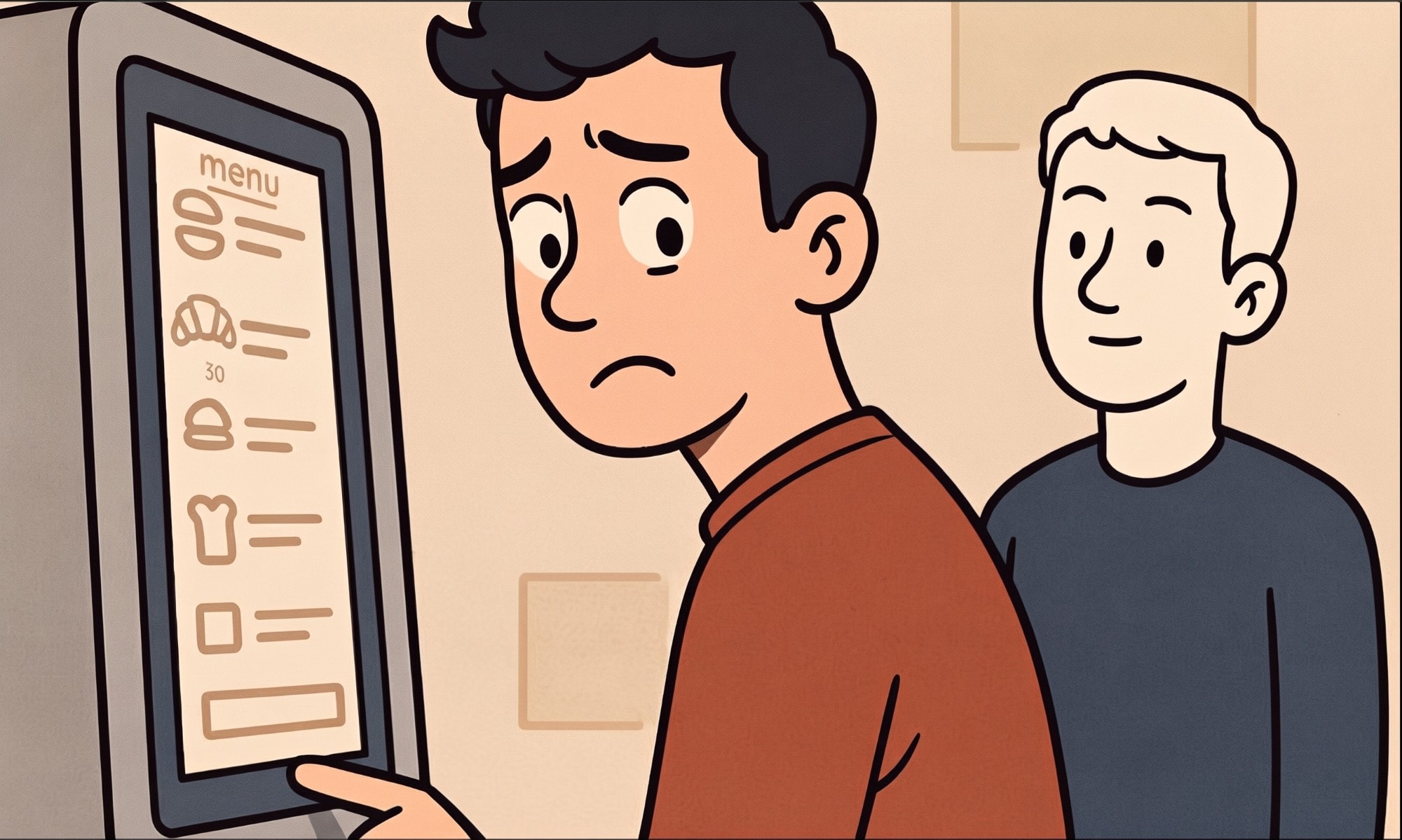
Ordering at a kiosk means everyone behind you can see your screen. FaceLock hides it the moment you step away.
Overview
- Year
- 2025
- Platform
- Self-order kiosk (iPad prototype in Figma)
- Focus
- Physical privacy, social comfort, kiosk UX
- Methods
- Observation
- Literature Review
- Survey
- Interviews
- Affinity Mapping
- Prototyping
- Usability Testing
A coursework project on improving the boba tea ordering experience for customers in West Lafayette, Indiana, with a focus on how comfortable people feel at self-order kiosks.
Problem
Boba sales are projected to keep growing (about 2.6B USD in 2025, 2.3% annual growth to 2029), and more shops are adding kiosks. But kiosks are public and visible. Our survey showed few complaints about kiosks, yet people still tried to shorten their time at them by checking the menu on their phone first. Interviews explained why: people felt rushed, watched, and judged when someone stood behind them, and most had no way to shield the screen.
2.6B USD
projected 2025 boba tea sales
0
interviewees who felt any kiosk respected their personal space
How might we make kiosk ordering more comfortable by protecting physical privacy and reducing social pressure, without radical hardware or software changes for shop owners?
My Role
Team project of three. I co-conducted the shop observations, wrote interview questions and ran and analyzed two interviews, led ideation, designed the UI and built the Figma prototype, wrote the usability test questions and ran the usability test, and wrote most of the report.
Process
We observed two boba shops, one with several small kiosks and one with a single kiosk beside a long counter, and noticed people lingering at kiosks and helping friends order. A scoping literature review covered kiosk usability, accessibility, and continued use, and a survey of local coffee and tea customers showed people were quietly working around kiosks. Because no paper addressed physical privacy directly, we pulled from related work on social presence in retail, privacy partitions for older adults, and stress in crowded kiosk use. Interviews then showed how exposed people feel. Five sources (interviews, survey, literature, brainstorming, observations) went into an affinity diagram in FigJam with three themes: social influence on purchasing, kiosk use for ordering, and security and privacy concerns. We compared a physical back partition with face-detection software and chose software, since it scales with minimal hardware.
2
boba shops observed
5
data sources in the affinity diagram
3
usability test participants
From the literature
- 01
Kiosk usability problems include interface complexity, limited customization, hard-to-see icons, and confusing e-coupons.
- 02
Crowd size and proximity create social pressure in retail. One companion raises positive emotion, while three raise negative emotion.
- 03
Privacy partitions reduced "social exposure" and cognitive load for older adults using kiosks.
- 04
In a VR kiosk study, high-stress participants were slower and made more errors.
From the field
- 05
Nobody felt kiosks respected their space. People rush when someone stands behind them and end up unhappy with their order.
- 06
Phone number and email were the most protected details, and everyone felt anxious or judged because others could see what they ordered.
- 07
The more crowded the space, the more defensive the behavior. Most people could do nothing to shield the screen, and one used their body as a shield.
Constraint: No radical hardware or software changes, because of cost and complexity for shop owners. We also deliberately avoided facial recognition: the idea only detects whether a face is present and turned toward the screen.
Solution
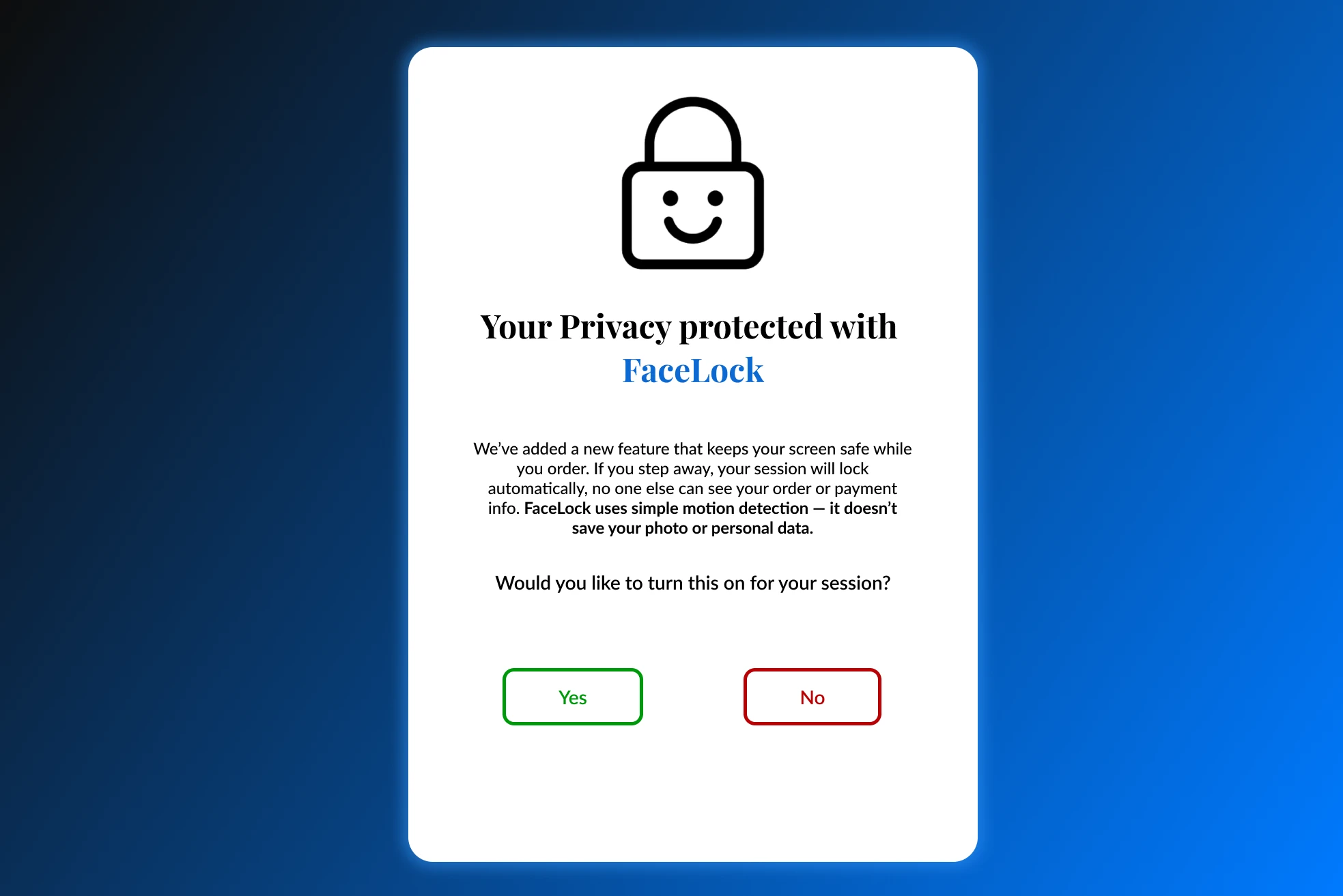
Opt-in, with a clear explanation
An intro screen asks the user to turn FaceLock on and explains what it does. Testing showed people wanted to understand it, so the final version adds a demo video slot on that first screen.
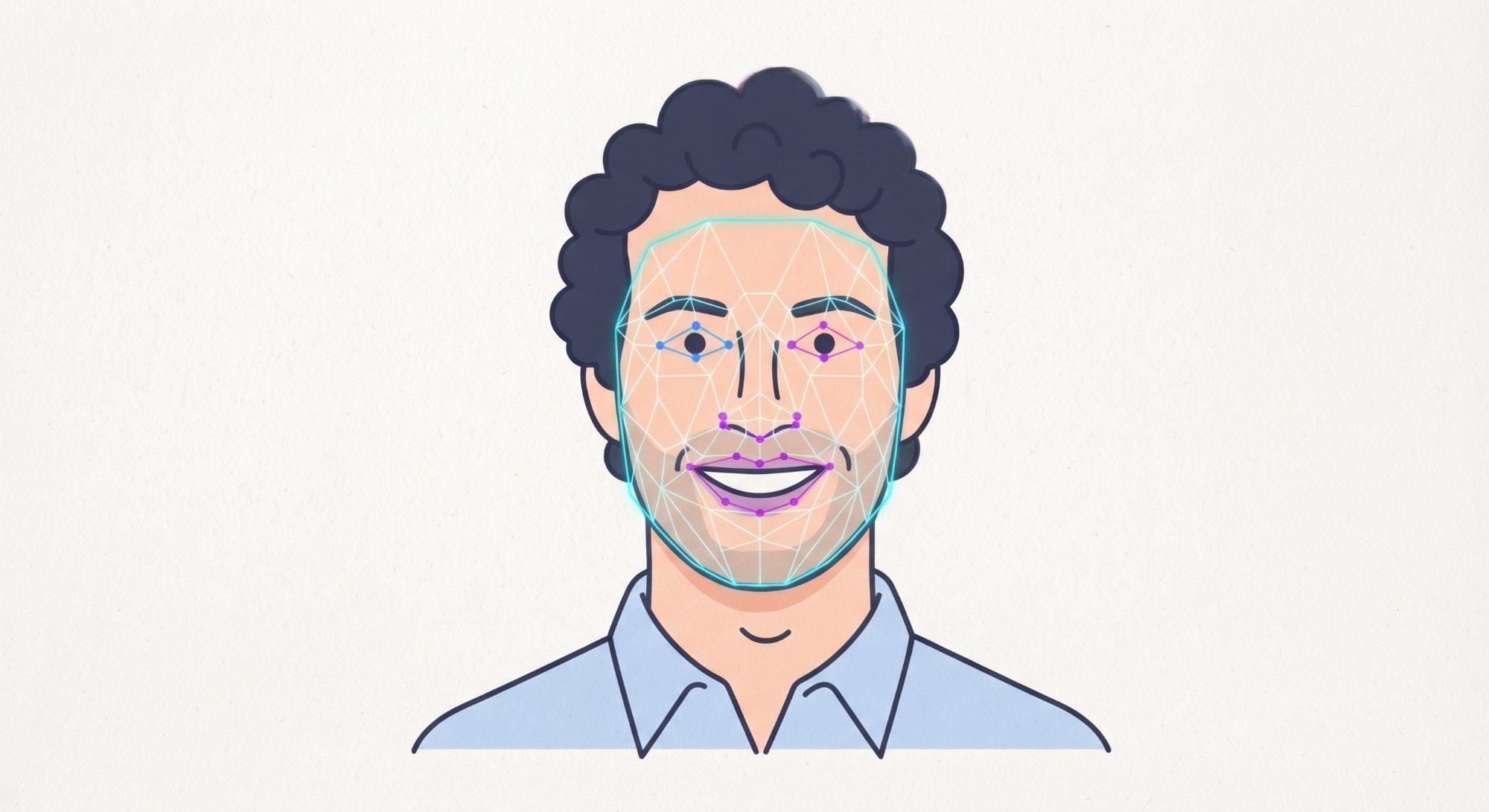
Detection without identification
We compared a Time of Flight sensor (depth only, less intrusive, but cannot tell which way you face) with an RGB camera running MediaPipe face detection, which tracks head turns without storing or identifying faces. We chose the camera route for the head-turn signal and said plainly on screen that no photo or personal data is saved.
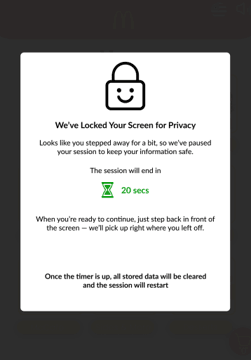
Lock the screen when you step away
FaceLock hides the order when your face turns away or you step aside, then restores it when you return. The goal is physical privacy at the moment someone behind you could look.
A visible timer, longer than first drafted
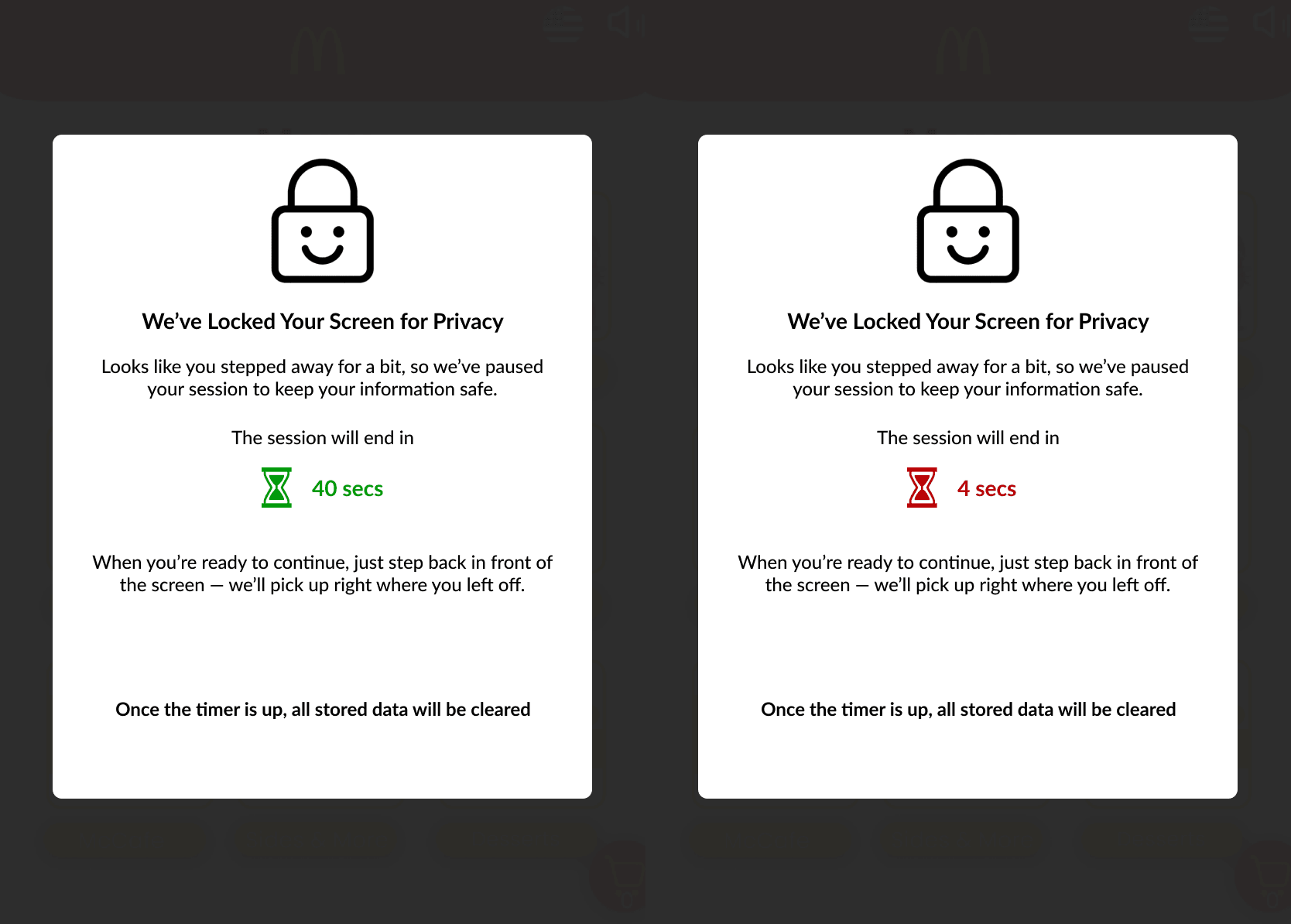
The first timer was 20 seconds with an icon that turns red near the end. One tester felt that was too short, so we moved to 40 seconds. 60 felt too slow, since the timer only runs when someone walks away. When it ends, the session and all stored data are cleared.
A privacy screen on top of FaceLock
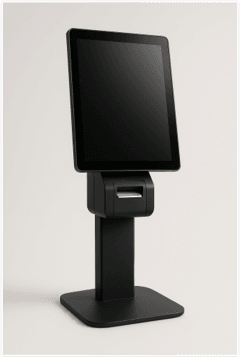
FaceLock covers the front, but people beside you can still see. Two testers suggested a privacy screen protector, so the final design pairs the two: louvered film narrows the viewing angle, FaceLock handles stepping away.
Impact
The concept was tested with three participants on an iPad Figma prototype. Nothing was built or deployed, so there are no outcome metrics. Each change below came directly from that feedback.
What changed
Problem
Participants wanted to understand what the feature does before turning it on.
Fix
Added a demo video slot to the first screen.
Problem
One participant felt 20 seconds was too short.
Fix
Extended the timer to 40 seconds.
Problem
People beside the user could still see the screen.
Fix
Paired FaceLock with a privacy screen overlay.
All three participants liked it and said they would turn it on, and the no-data-collection message helped build trust. FaceLock is a low-cost way to make public kiosks feel more private, but it needs real hardware testing before any claim about performance.
Reflection
What I'd do differently
We only tested a Figma prototype with three people, so face detection speed, low light, glare, and timing were never measured, and the privacy screen was only shown visually. The 40-second lock could also leave the next customer waiting if someone abandons an order. With more time I would build a working prototype and test it in a busy shop.
Next steps
Build a functional prototype with a Time of Flight sensor or RGB camera with MediaPipe, plus a physical privacy screen. Test adaptive settings such as a custom timer or optional lock animation. Run field studies in high-traffic spaces. Solve the abandoned-order wait so the next user can start right away. Use the findings toward guidelines for privacy-aware kiosks.
Ethical considerations
- Even with no data stored, a face-detection feature can feel like surveillance, so trust has to be earned on screen.
- Users with face coverings, disabilities, or different appearances could be missed or misread, so the design must stay inclusive.
- A privacy feature can feel controlling in shared spaces, so comfort and protection need balancing.
Last chapter
Design Documentation
The full process documentation for this project: research, interviews, usability study, and design iterations.