2026 · UX Research · E-commerce · UX Redesign
Favorite Items List Redesign
Uline built a Favorites page for saving products. Customers used it to reorder. I worked with a team of seven to close that gap.
Overview

- Year
- 2026
- Sponsor
- Uline
- Team
- 7 people
- Platform
- B2B e-commerce
Problem
Uline's Favorite Items page was designed for saving preferred products, but analytics showed customers were using it to reach past orders instead. A newer Shopping Lists page with overlapping functionality made it worse: users couldn't tell the two apart, and it was generating support tickets.
6 of 6
participants went to the Products page instead of My Account when asked to find Favorites
72.71%
of users hit “Add to Cart” without ever using the order checkboxes the page was built around
How might we make Favorite Items match how customers actually use it, and clearly distinguish it from Shopping Lists?
My Role
One of a team of seven on a project sponsored by Uline, working with a data analyst on Uline's side whose site analytics anchored our findings.
Process
Methods
- Secondary Research
- Competitive Analysis
- Interface Audit
- Affinity Mapping
- Analytics Review
- Usability Testing
- Multivariate Testing
Competitive analysis
- Grainger
- Global Industrial
- McMaster-Carr
- Staples
- Amazon Business
The team of 7 ran a competitive analysis across Grainger, Global Industrial, McMaster-Carr, Staples, and Amazon Business to see how other B2B platforms structure saved-item behavior, paired with a full interface audit of Uline's existing Favorite Items and Shopping Lists features. Affinity diagramming sorted findings from the audit and five multivariate test scenarios into recurring patterns rather than treating each session as an isolated data point. The sponsor's early hypothesis was that this was a labeling problem. The research was scoped specifically to test whether that assumption held, or whether the issue sat deeper in the interface's structure.
7
team members
5
task scenarios tested
2
returning usability participants
6 of 6
participants navigated the wrong path first, looking under Products
72.71%
of users skip the order checkboxes entirely
1.65
average items added per cart visit
0.014%
of users use the Favorites feature as it was designed
What I learned
- 01
Every one of six test participants looked for Favorites on the Products page. It lives under My Account; the navigation contradicted their mental model completely.
- 02
Uline's own analytics showed an average of 1.65 items added to cart per visit. The page was built around bulk checkbox selection for a task users were performing one item at a time.
- 03
Research frames wishlists as a consideration space, distinct from a cart. Uline's page was serving a reorder function while wearing wishlist clothing. The mismatch was structural, not cosmetic.
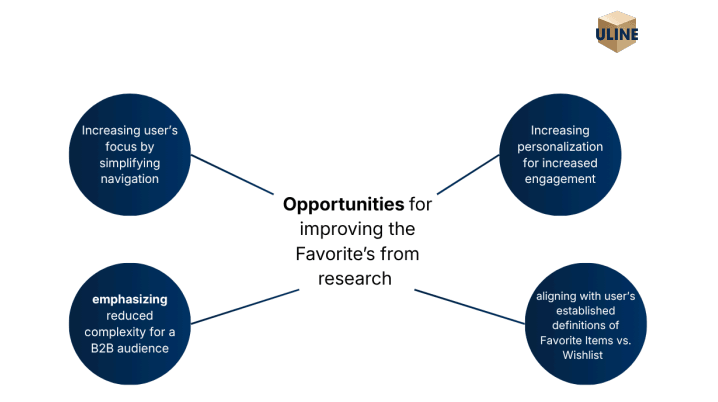
Solution
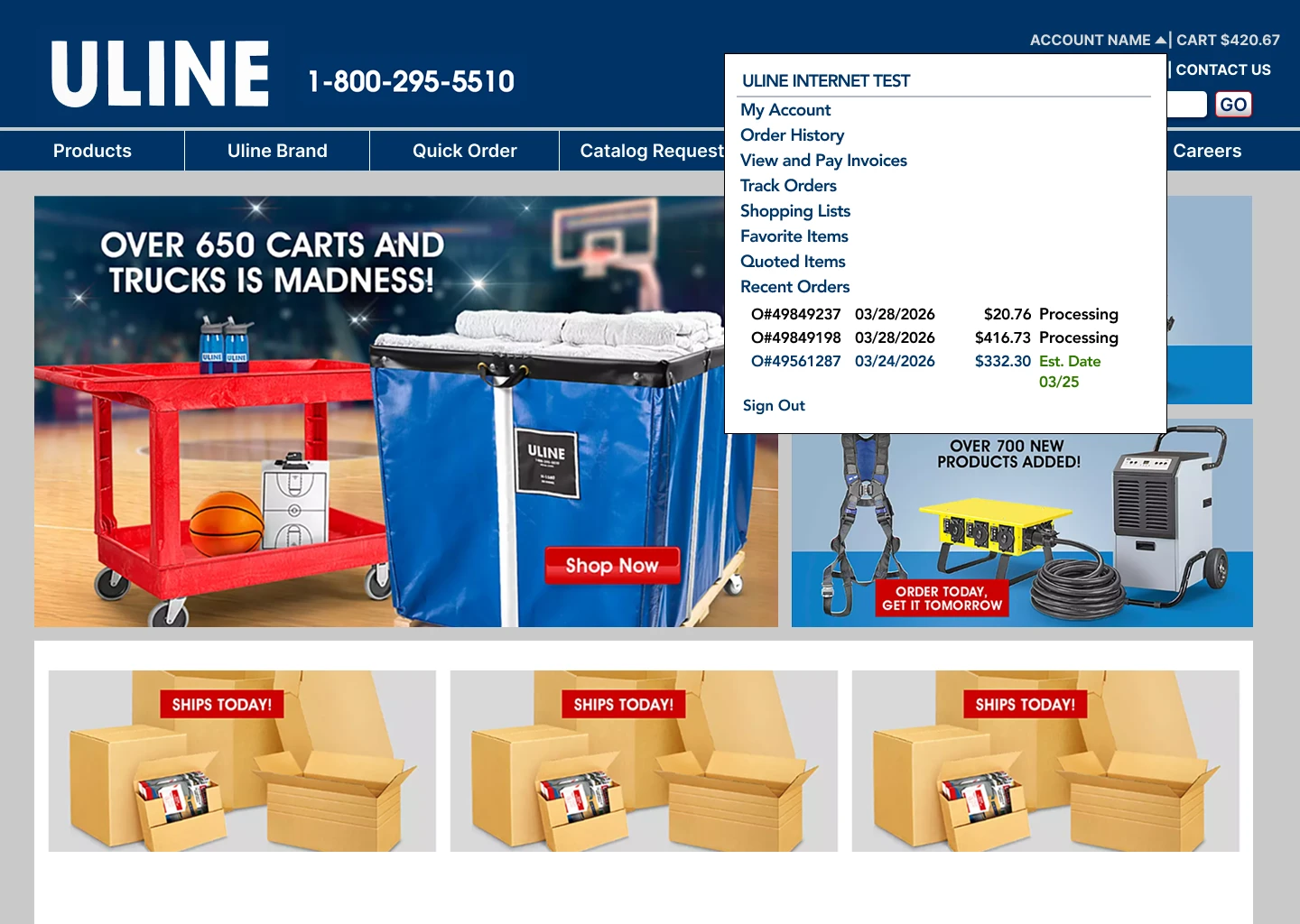
Put Favorites where users already look
Adding Favorite Items to the My Account dropdown came straight from watching all six participants navigate to Products first. Surfacing it in the dropdown cut steps and matched the mental model rather than fighting it.
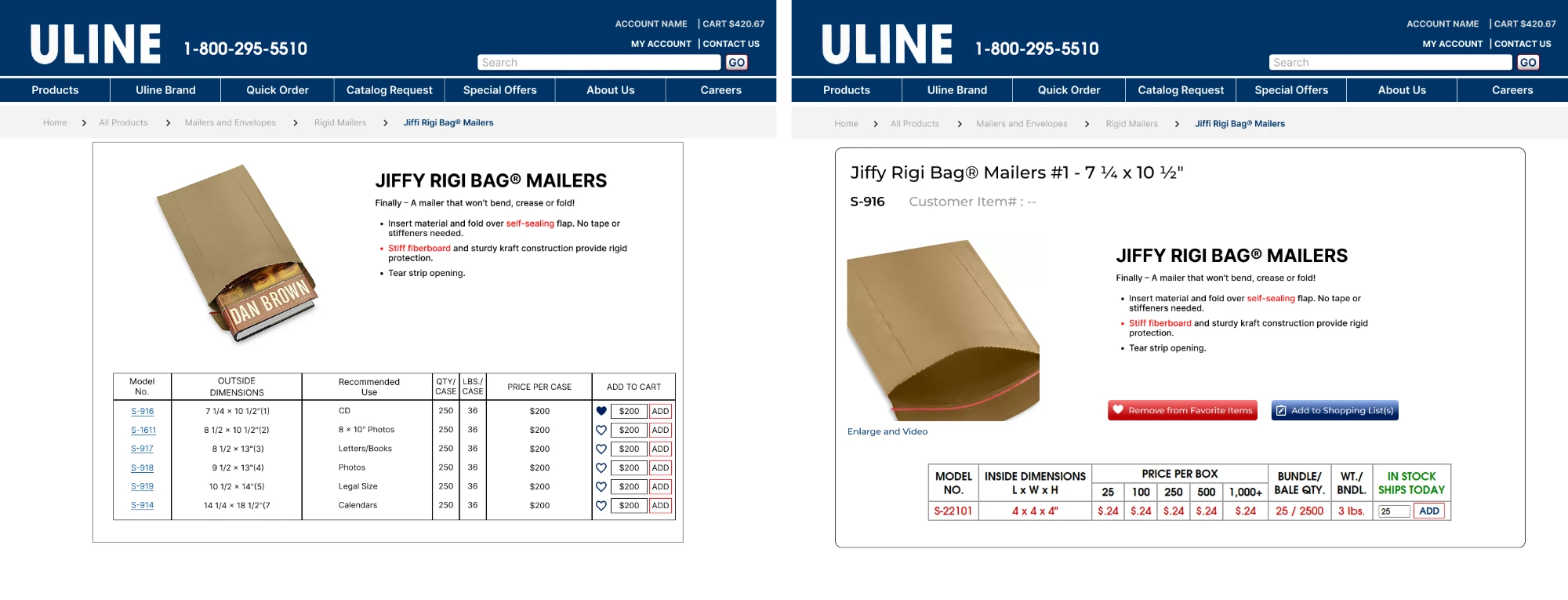
A heart on every product page
Users could only add to Favorites from the Favorite Items page, and had to know the model number. In testing, people preferred a prominent, highly visible button on the product page, so each product now has a heart button with a clear label. The heart is a convention users already know from other shops, and it lets people save an item at the moment they find it.
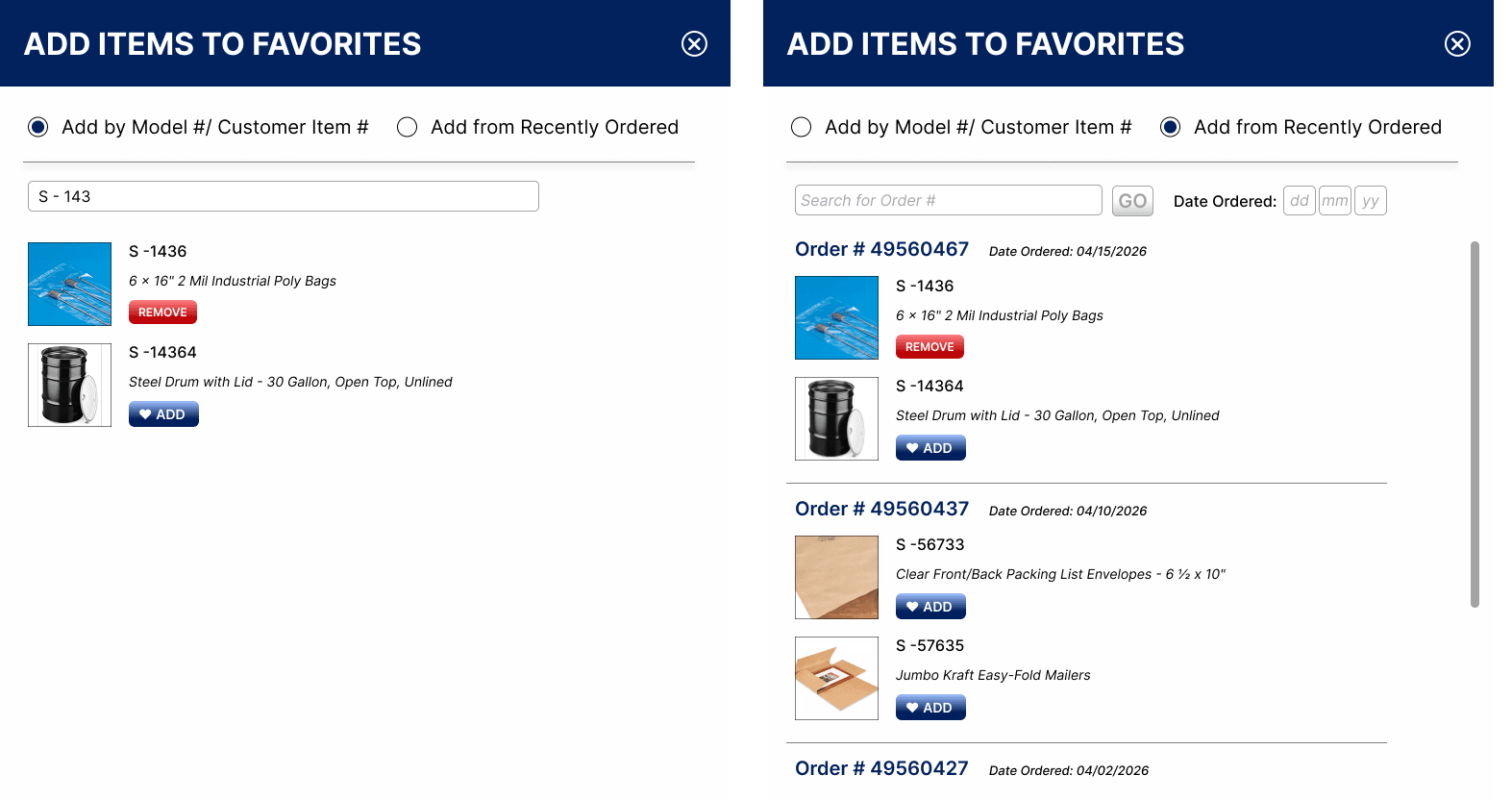
Search by name, not just model number
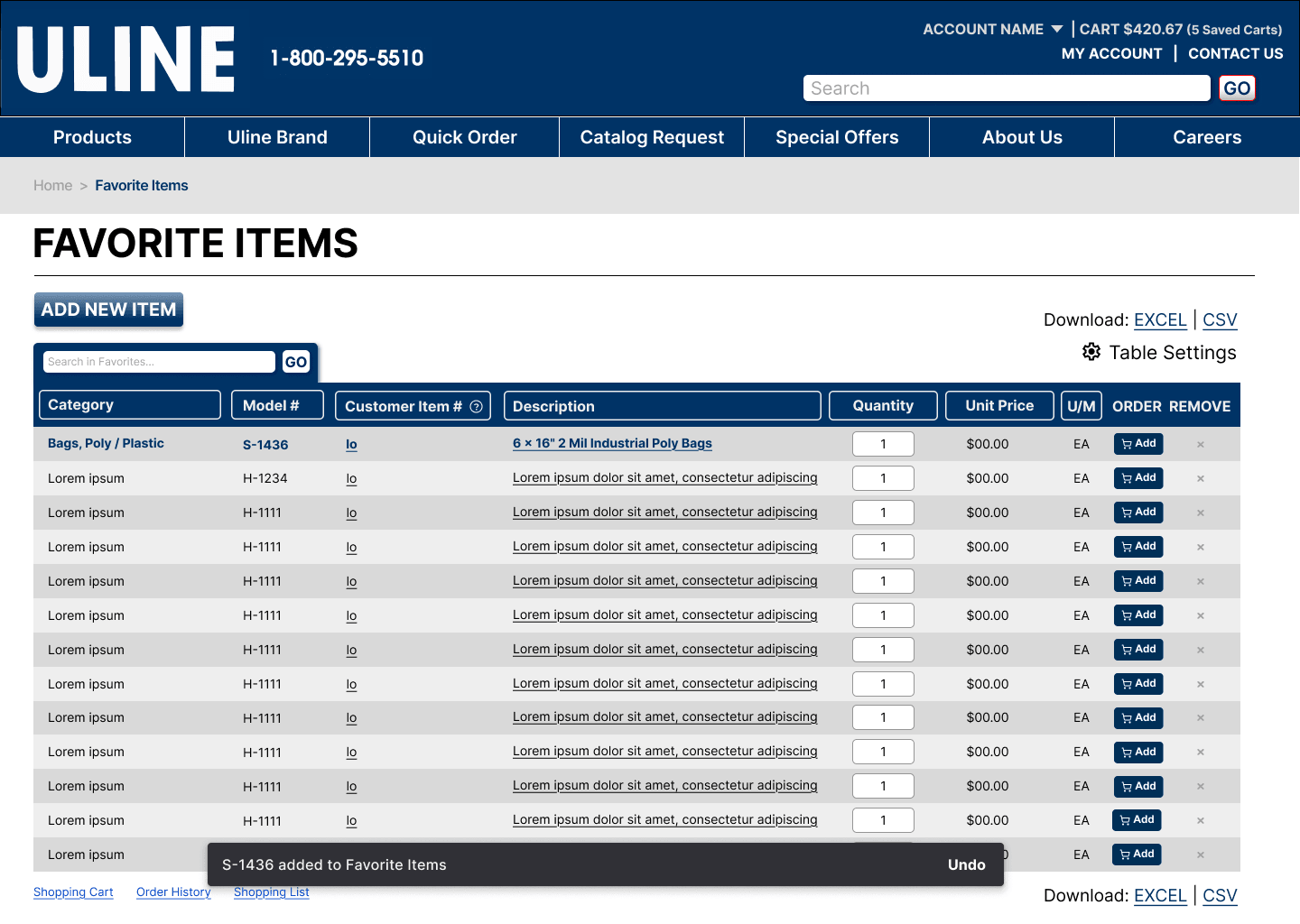
Adding an item from the Favorites page meant typing an exact model number, which participants found frustrating. The new Add Item modal searches as you type, shows when an item has been added, and lets you remove it in the same modal. A snackbar confirms each action, so users no longer wonder whether it went through. It also lets users browse products from recently ordered and add them to the list.
One-click add, not bulk select
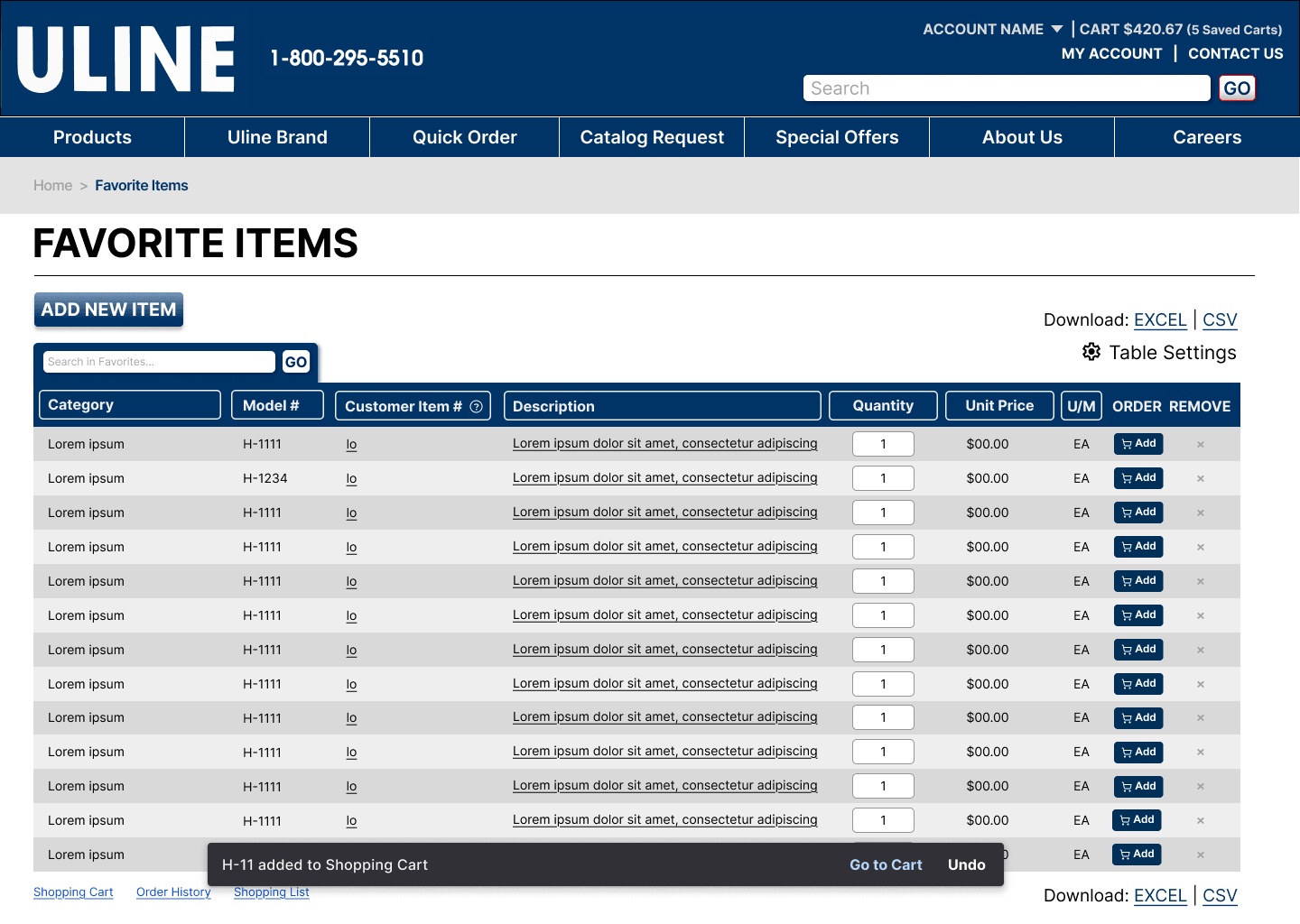
With an average of 1.65 items per cart addition, the checkbox workflow was optimizing for a case that barely happened. Per-row “Add to Cart” buttons, with both icon and label, which testing showed users preferred, made the common path the fast one.
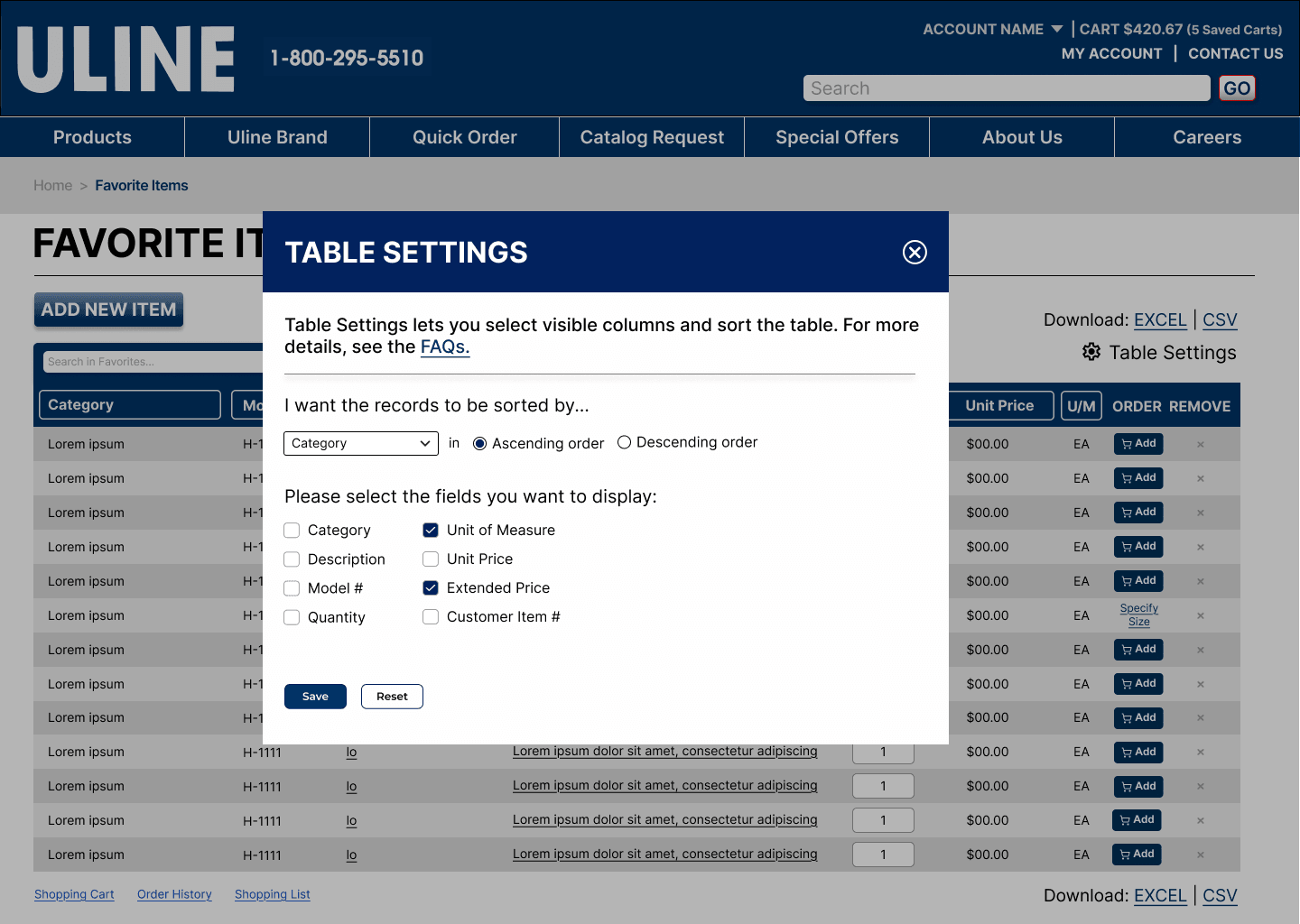
Table settings that stay out of the way
The Favorite Items table showed more information than most users needed, and several participants felt overloaded. Sort and Table Settings now live together in one modal instead of a separate tab or extra buttons, so people choose which columns to show and how to order them while the page stays clean. Most testers wanted both options, so we kept both.
Hi-fi prototype
Added to cart 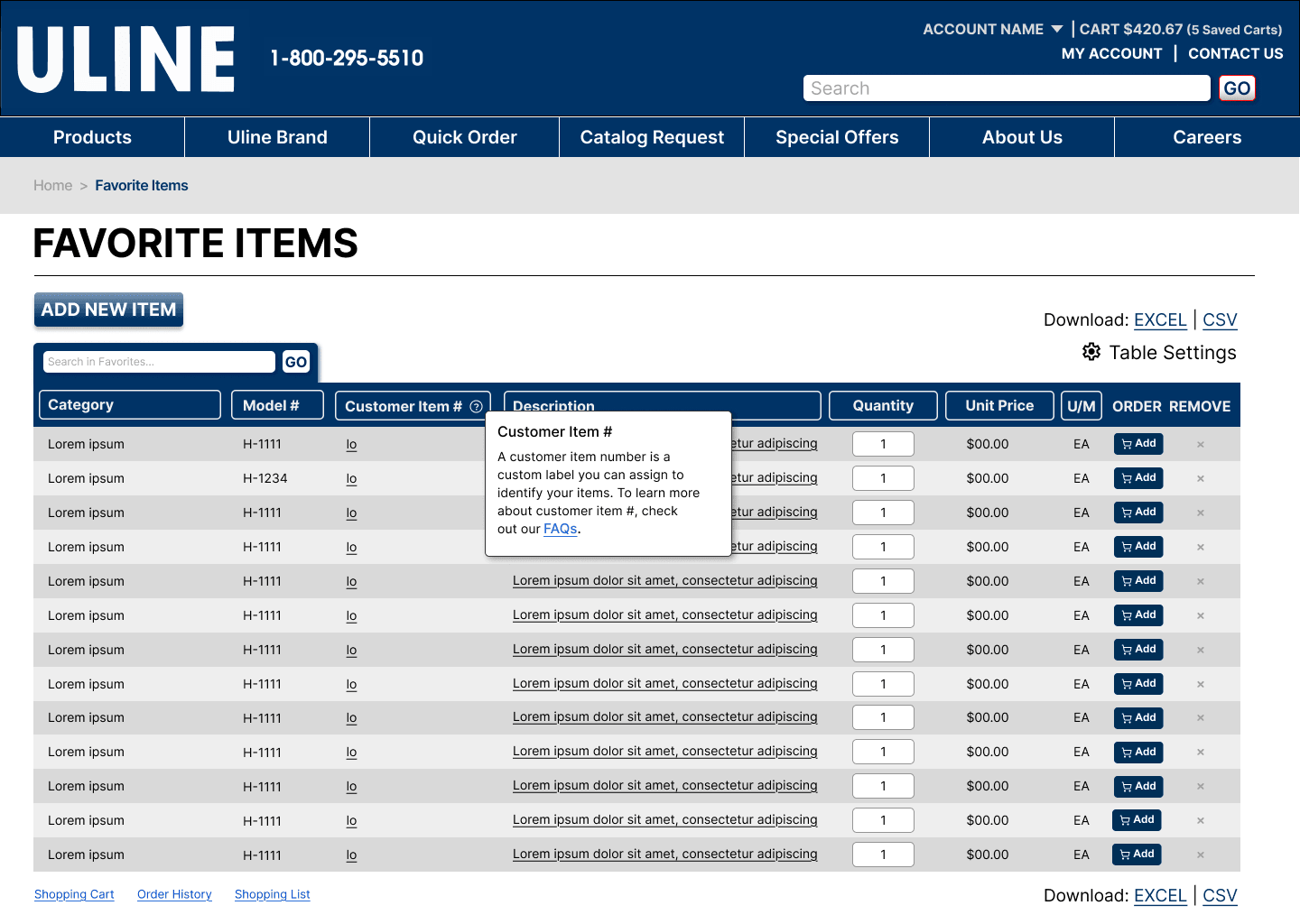
Customer Item # tooltip 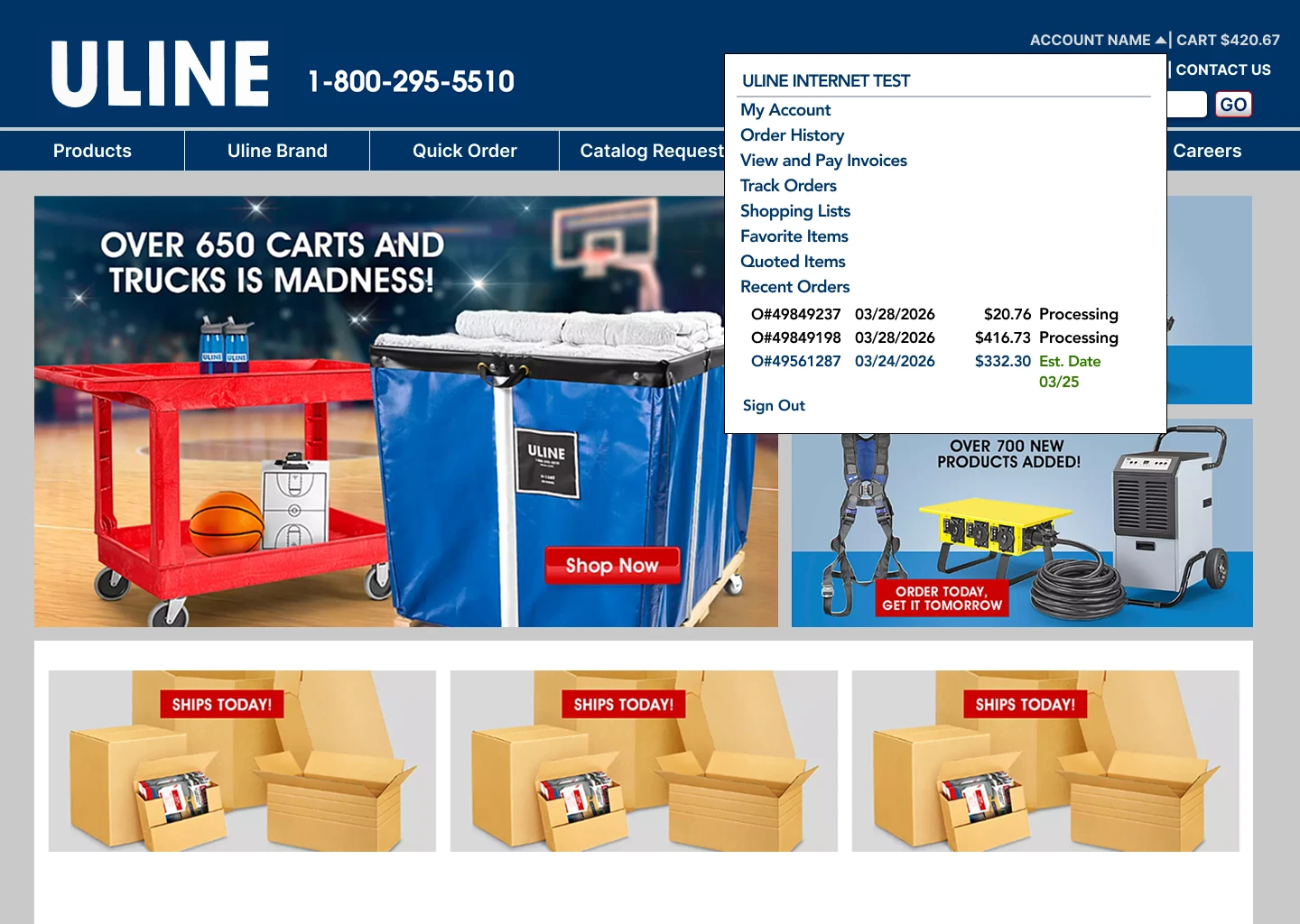
My Account dropdown 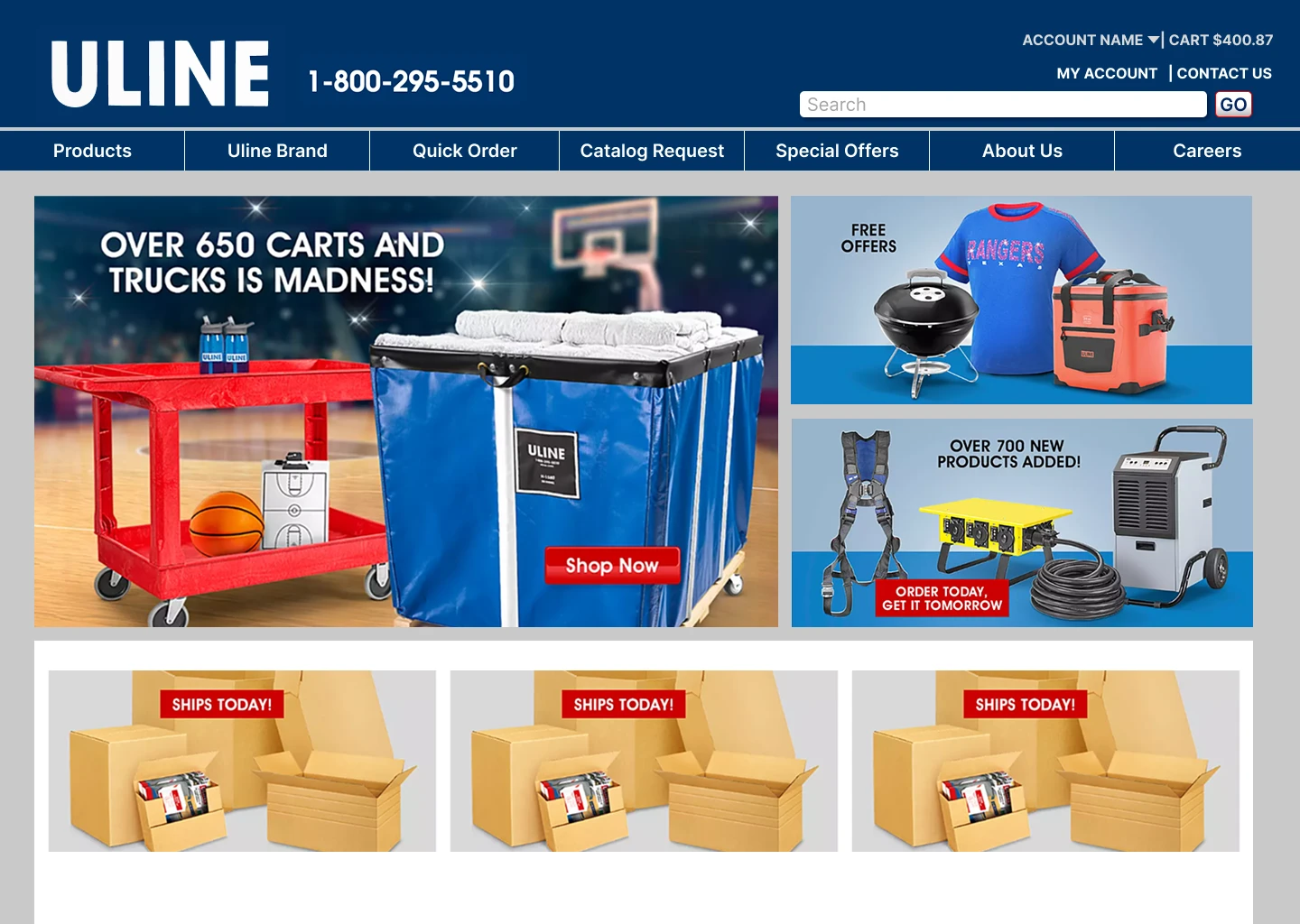
Homepage 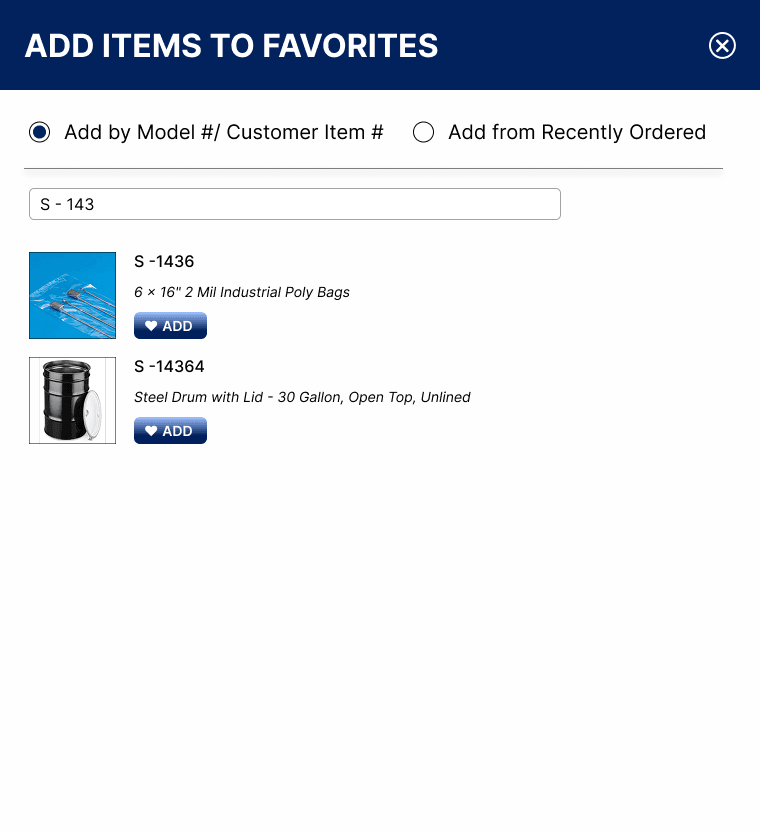
Search by model number 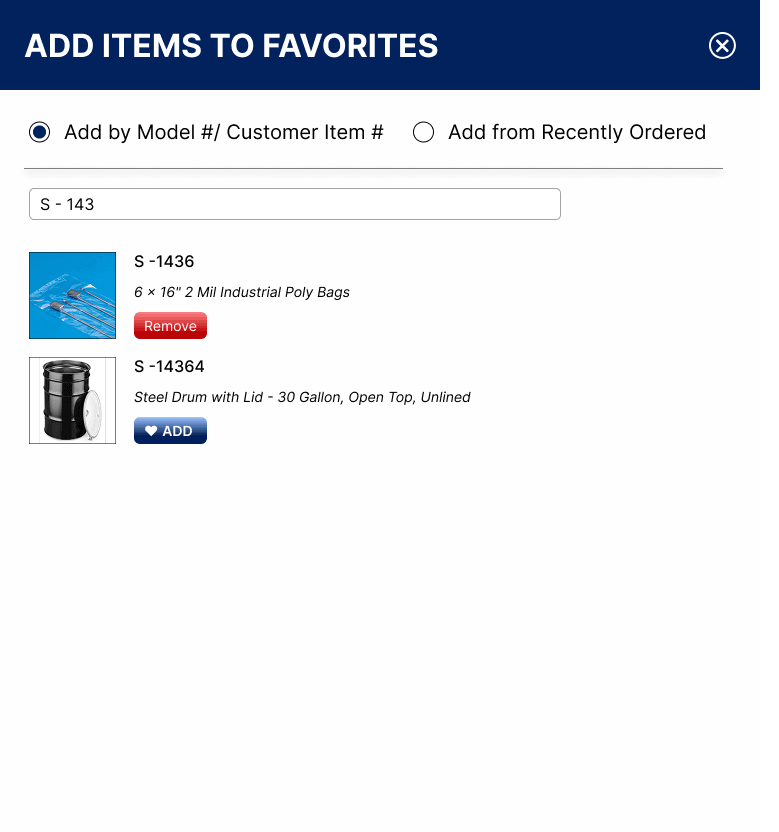
Item added 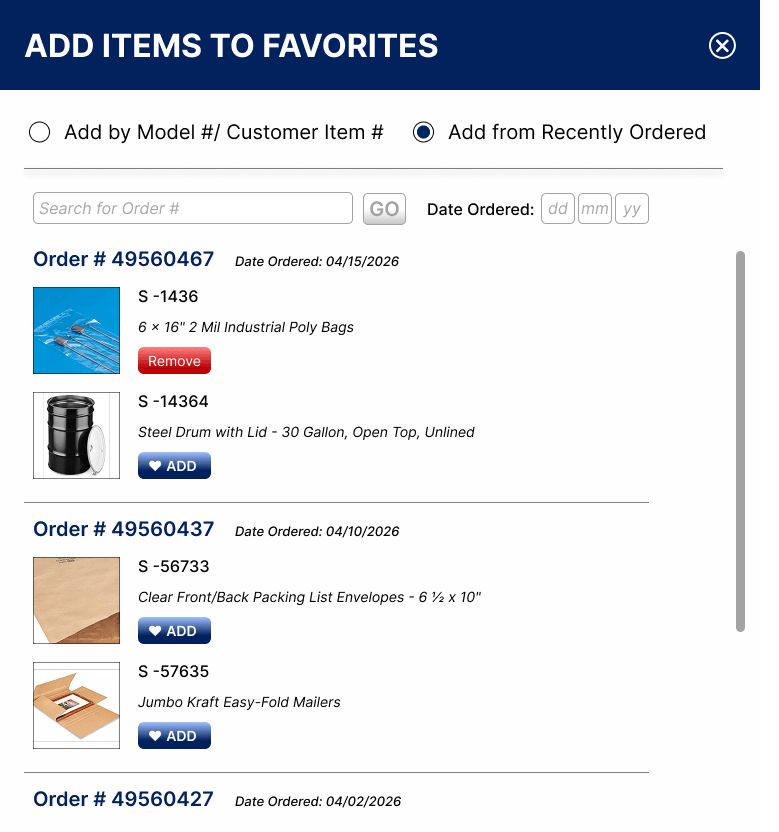
Recently ordered, item added 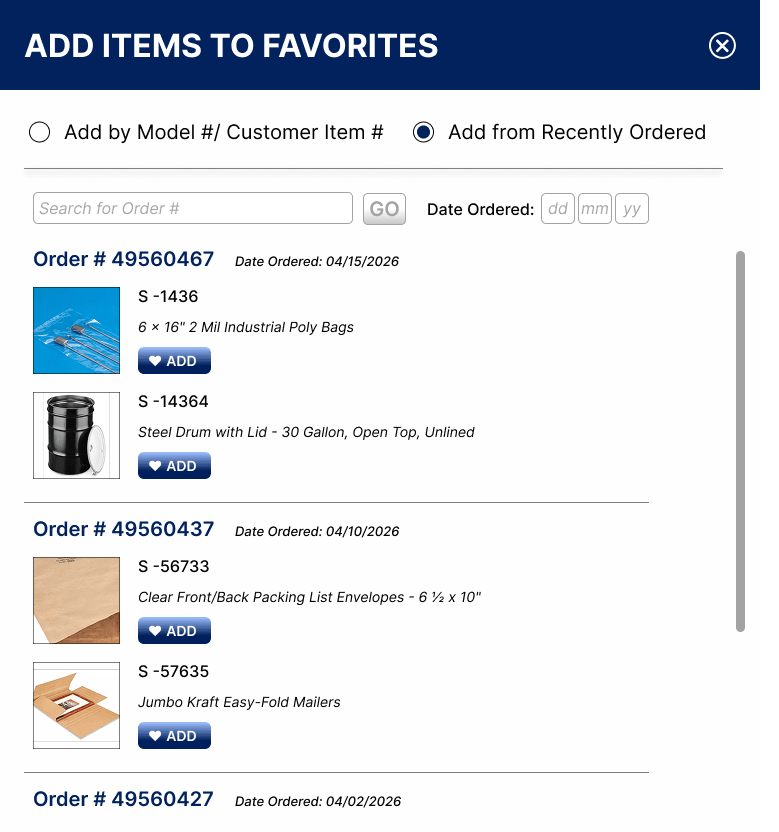
Add from recently ordered 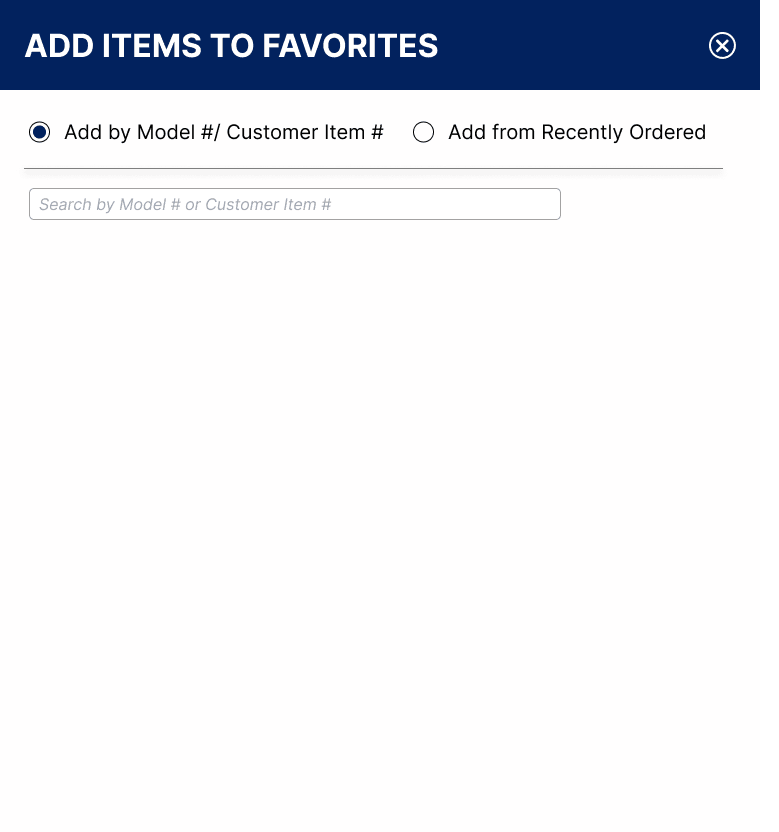
Empty state 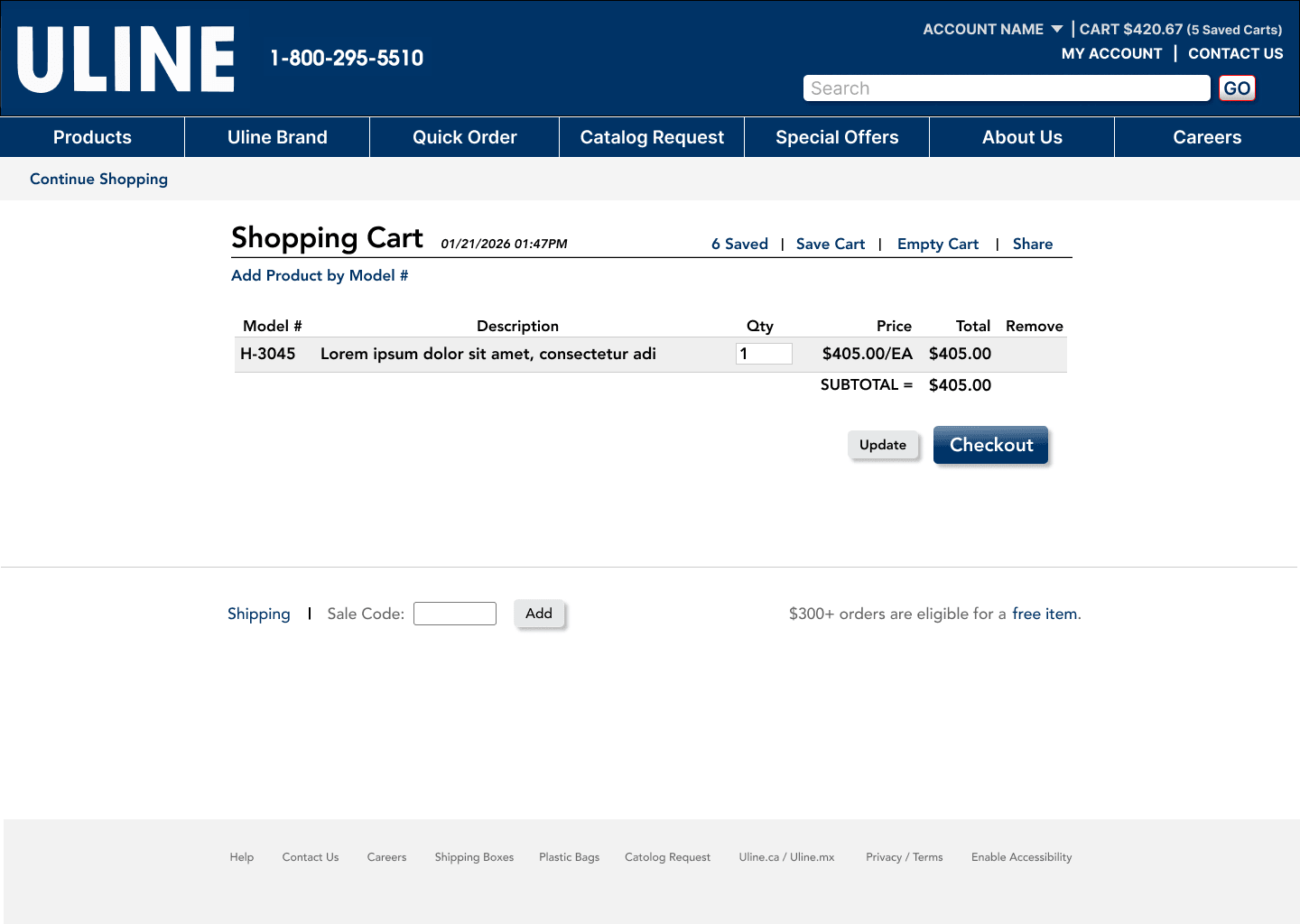
Shopping cart 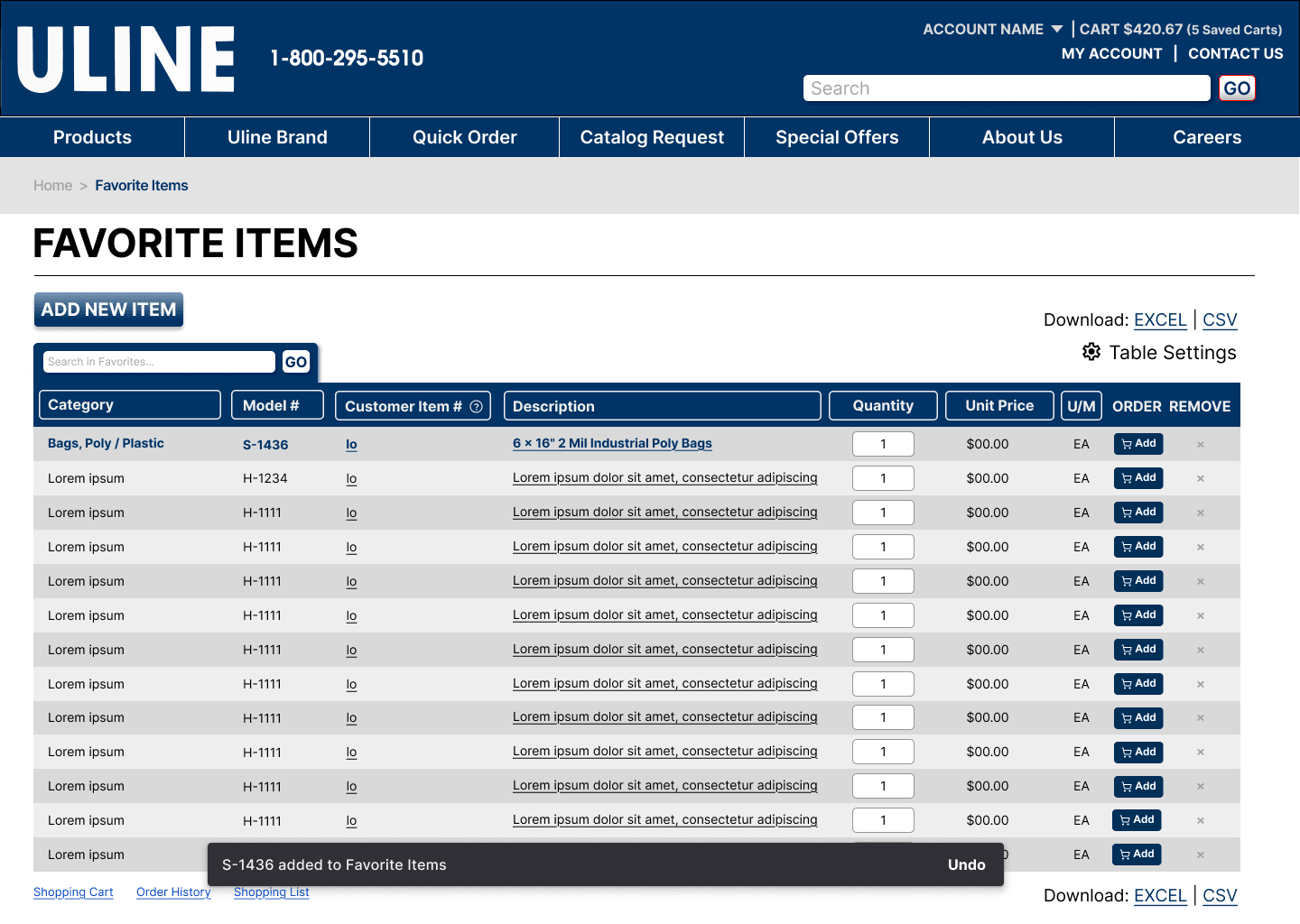
Added to Favorites 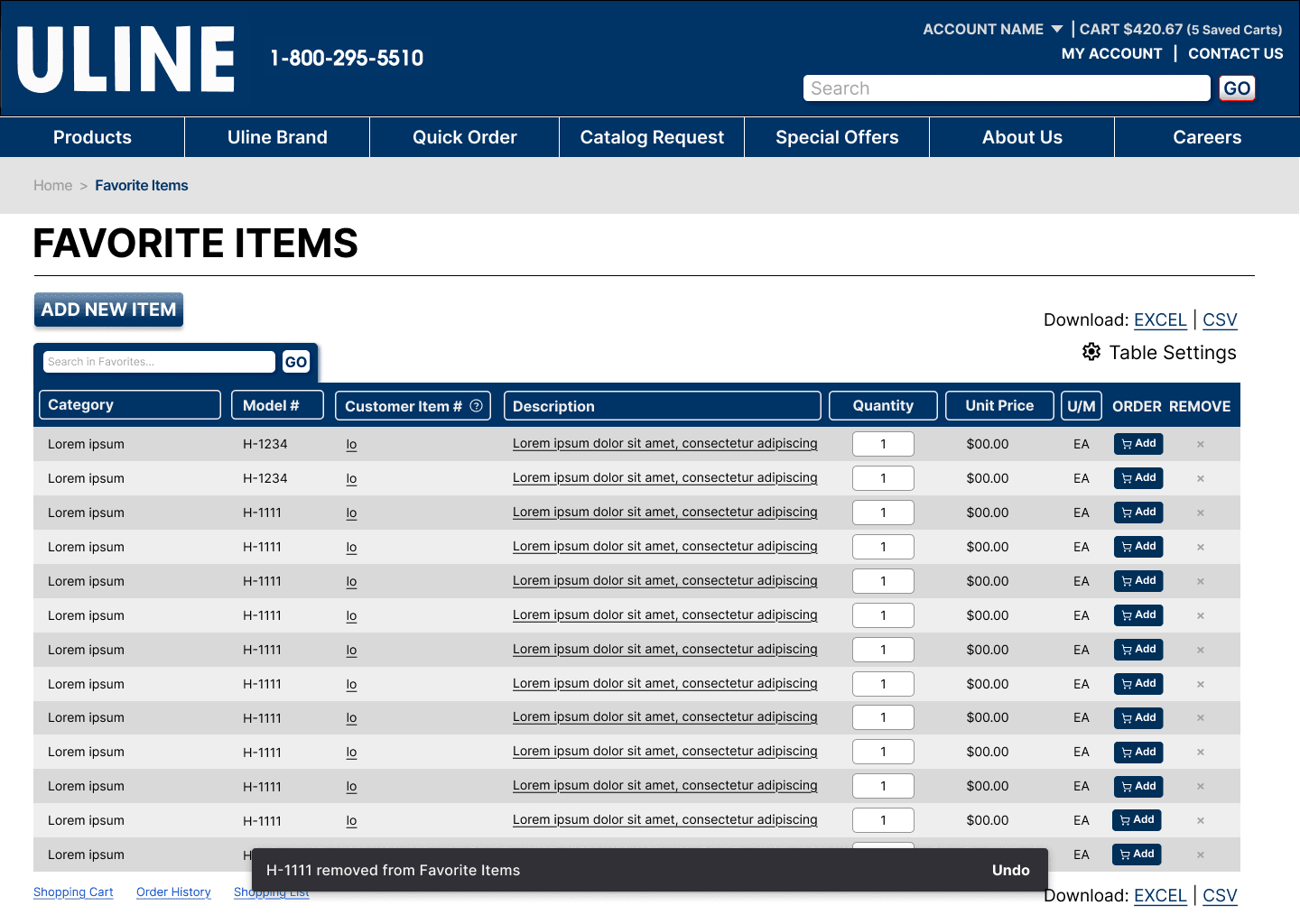
Removed from Favorites 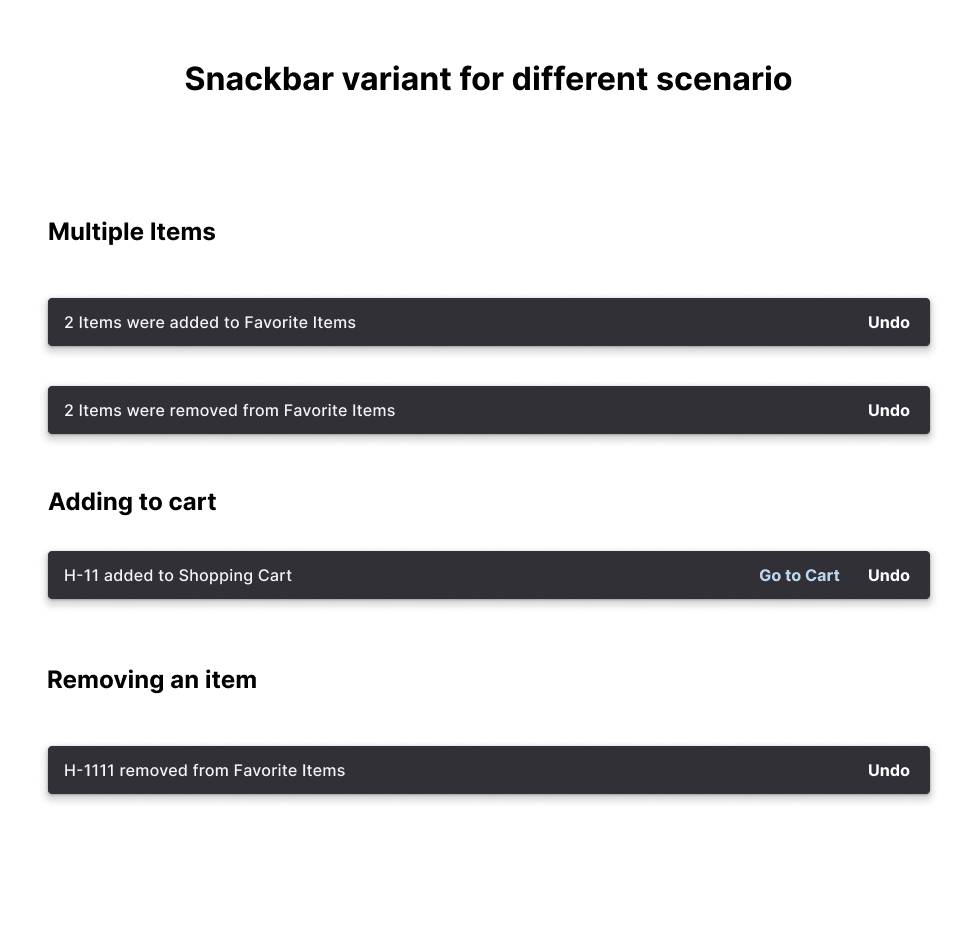
Snackbar variants 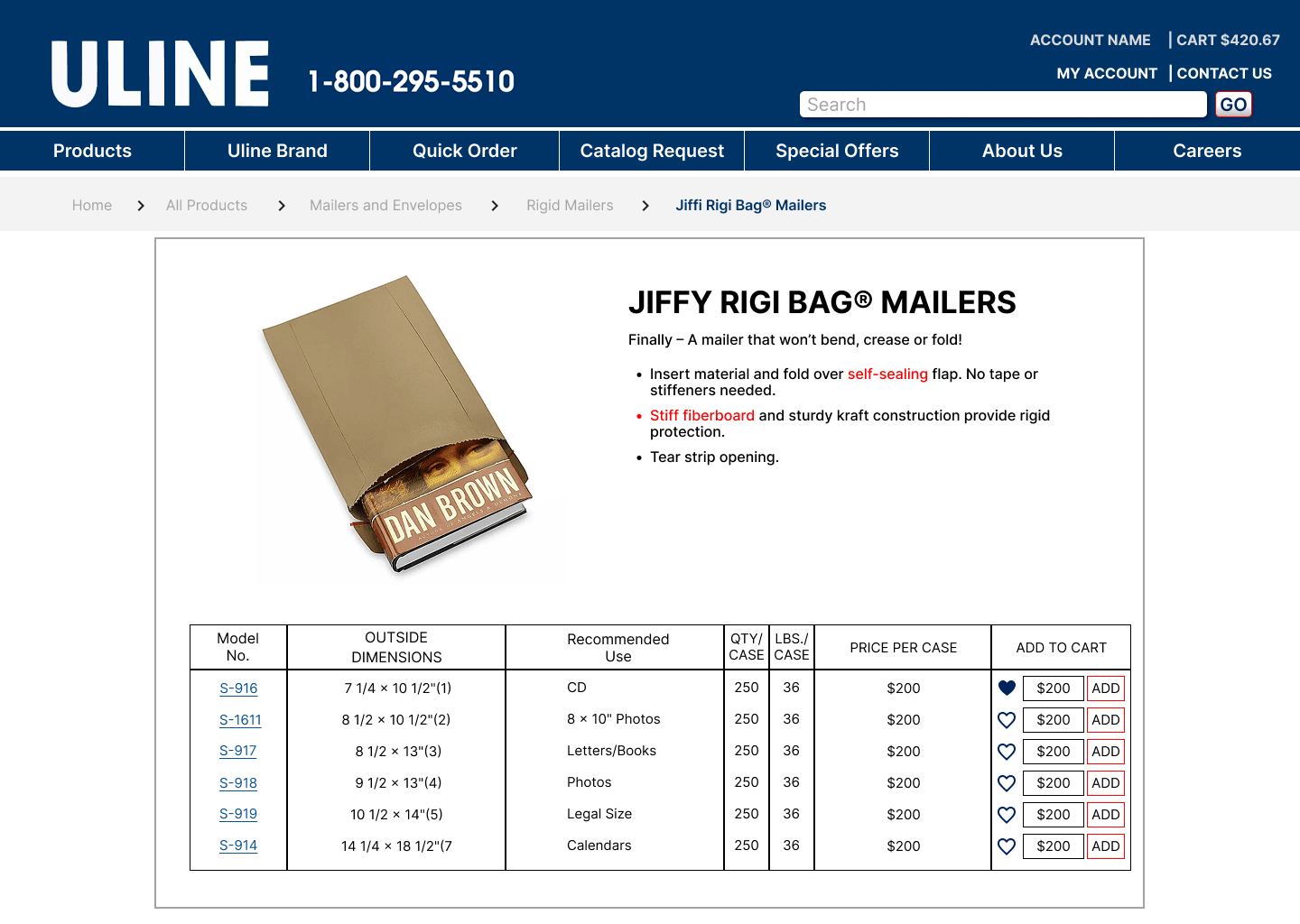
Product page
Impact
Final validation was with two participants from the original current-state sessions, so they could compare directly against the live site. Both described the redesign as “super clear.”
What changed
Problem
Users searched the Products page for Favorites; it lived buried under My Account
Fix
Added Favorite Items to the My Account dropdown, where participants already expected it
Problem
Adding an item from the Favorites page itself meant knowing its model number, with no confirmation that it worked
Fix
Built an “Add New Item” modal with dynamic search that returns results as you type, marks items as added, allows removal without leaving the modal, and confirms each action with a snackbar
Problem
The table showed every field to every user with no way to reorder or reduce it, overloading the page
Fix
Combined Sort and Table Settings into a single modal, the variant testing preferred over separate tabs, letting users choose which fields display and in what order
A high-fidelity Figma prototype delivered to Uline's UX and product teams, with a recommendations report covering navigation, list architecture, and interaction patterns. Both validation participants preferred it to the current site without qualification.
A note on metrics: The numbers in Process are the measured baseline each change was designed against: 6 of 6 looking in the wrong place, 72.71% skipping checkboxes, 1.65 items per visit. We didn't have post-launch analytics, so there's no measured “after” yet. The evidence for the redesign is the validation sessions.
Reflection
What I'd do differently
Our testers were students, not Uline's actual B2B buyers. We asked them to imagine running a car parts business, which helps but isn't the same thing; procurement managers ordering in volume would likely surface needs we never saw. Testing with real Favorite Items users is the first thing I'd change.
Next steps
Validate with actual Uline customers, particularly heavy Favorites users. Add keyword search alongside model-number entry, a constraint we designed around for feasibility that users repeatedly asked to lift.
Last chapter
Design Documentation
The full process documentation for this project: research artifacts, competitive analysis, wireframes, and iteration notes.