2025 · UX Research · Mobile App · Interaction Design
Plan-It – Group Planning Inside WhatsApp
Group plans live and die in the chat. Instead of building another app nobody would download, we added planning to the one people already use.
Overview
- Year
- 2025
- Platform
- WhatsApp-integrated prototype
- Focus
- Mobile App · Interaction Design
- Methods
- Survey
- User Interviews
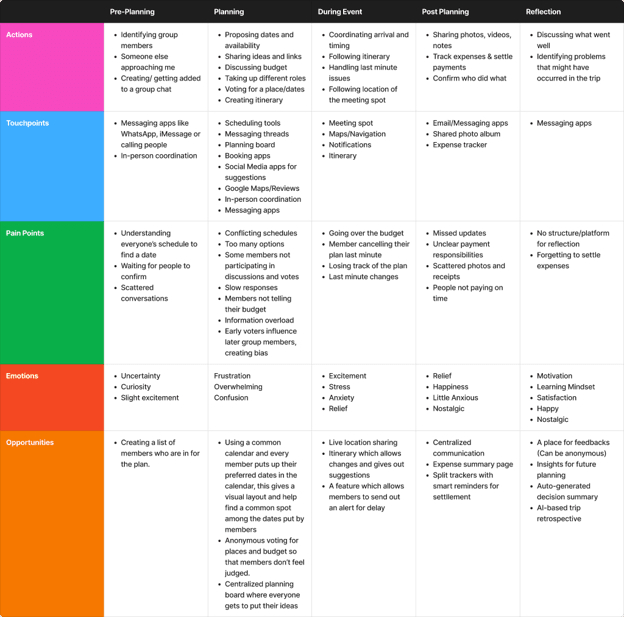
- Experience Mapping
- Usability Testing
Problem
Group planning happens in messaging apps, but those apps have no structure for it. Decisions get buried in long threads, information scatters across Maps, Instagram, and Airbnb, and one person quietly ends up doing all the coordination.
4/4
interview participants named WhatsApp as the primary place planning happens
5+
separate apps used to coordinate a single trip: chat, maps, social, bookings, expenses
How might we bring structure to group planning without pulling people out of the conversation where it already happens?
My Role
Team project. I worked across the research, concept development, prototyping, and usability testing.
Process
Methods
- Literature Review
- Competitive Analysis
- Survey
- User Interviews
- Experience Mapping
- Affinity Mapping
- Usability Testing
Secondary research drew on five sources spanning adjacent problem spaces: CamPlan's approach to shared trip logistics, research on redesigning peer-to-peer payment flows, OutWithFriendz's group-decision mechanics, and Trip Planner for Groups' coordination patterns, to understand how other tools balance individual input against group consensus. Competitive analysis looked at Wanderlog and PlanApple, both of which solve coordination by pulling users into a dedicated planning app, a choice that became the key point of contrast once the team's own research pointed a different direction. A survey of 10 respondents and 4 follow-up interviews grounded that secondary research in how this group actually plans, mostly inside existing WhatsApp threads, rather than assuming the dedicated-app pattern was the right starting point.
n=10
survey responses
4
user interviews
3
early concepts explored
What I learned
- 01
Nobody wanted another planning app. Every participant said they'd rather have structure inside the chat they already use than adopt a new tool.
- 02
Roles emerge rather than get assigned. One person becomes the de facto organizer by taking initiative, then carries the bookings, reminders, and payments alone.
- 03
Money is the emotionally loaded part. Participants wanted expense splitting to be convenient but not public: no callouts, no visible ledger of who owes whom.
Solution
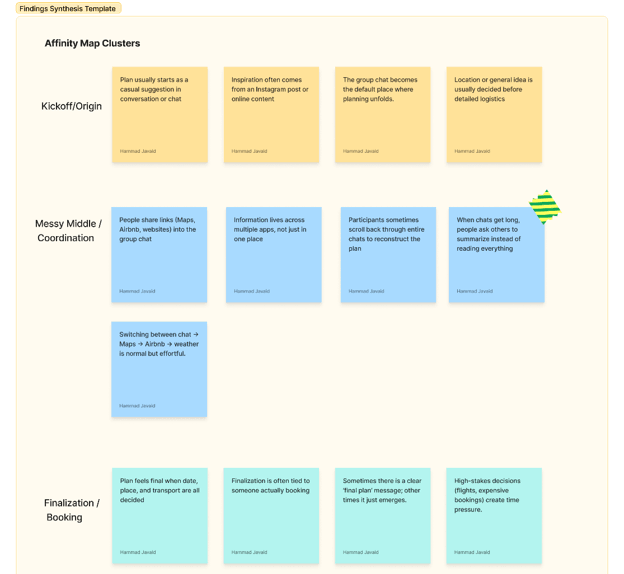
Affinity diagramming surfaced 4 major themes, which the team translated into 10 design requirements (R1–R10).
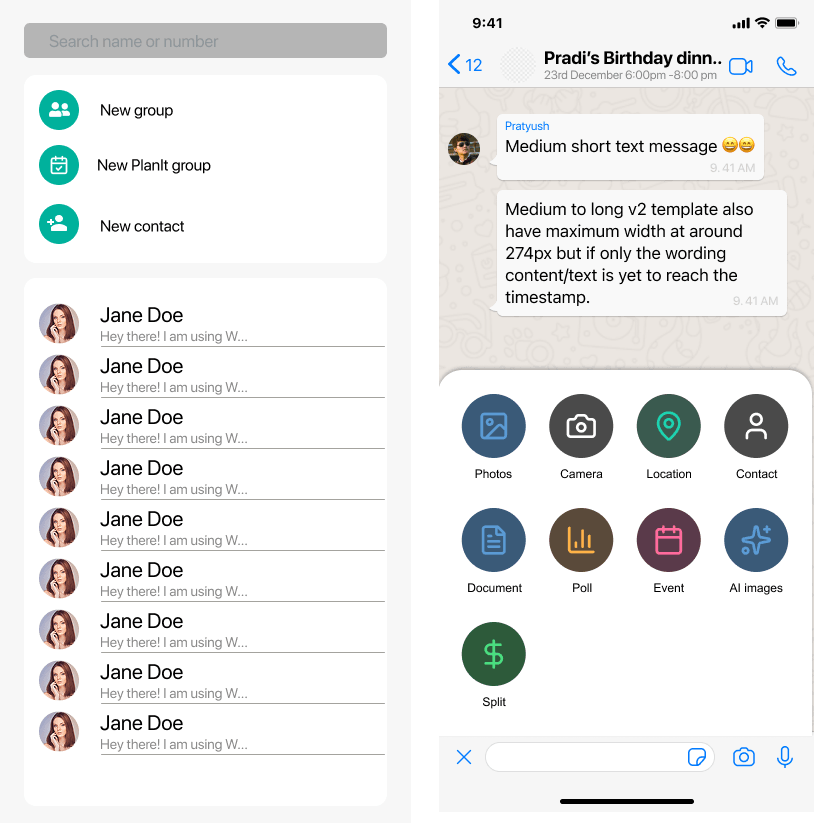
Four features
AI Summarizer
Catches you up on planning you missed in the chat.
Plan Shelf
One central place for the plan's details.
Task Assignments
Lightweight task claiming, so the organizer isn't doing everything.
Split
Private expense splitting between the people involved.
Build inside WhatsApp, not beside it
We sketched a standalone planner and a Trello-style board first. Both required users to leave the conversation, which was the exact behavior research said they'd reject. The WhatsApp layer was the only direction that added structure without asking anyone to change habits.
Catch up without scrolling
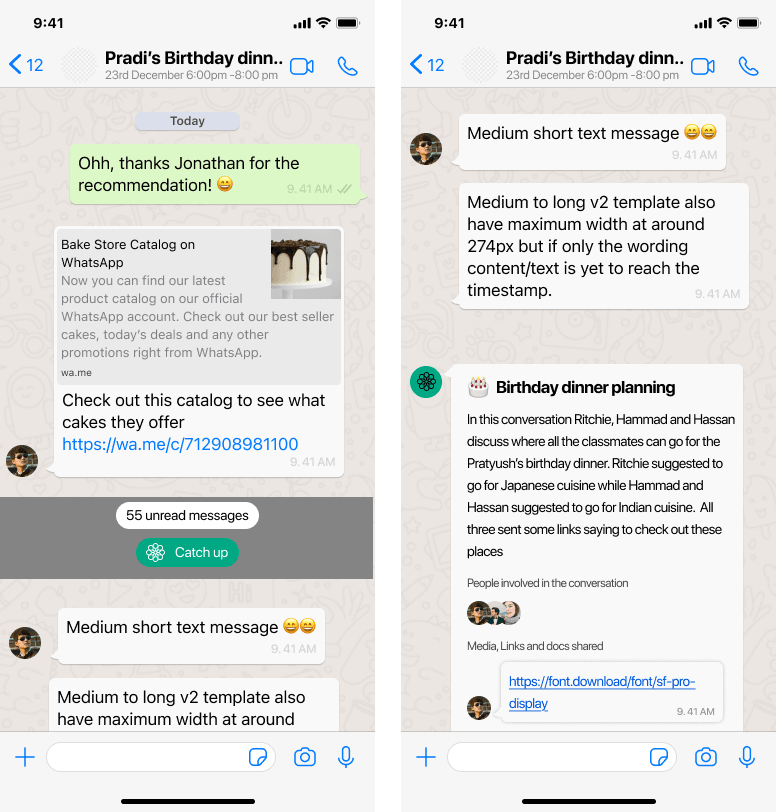
Participants kept scrolling long chats or asking someone to summarize, because decisions got buried. The summarizer turns a long thread into one compact card with the event, the date, the top options, and what still needs sorting out, with avatars showing how many people the recap reflects. After testing, it became private: the summary appears only for the person who taps the button, so no one speaks for the group and the chat stays free of AI noise.
One place for the plan, still inside the chat
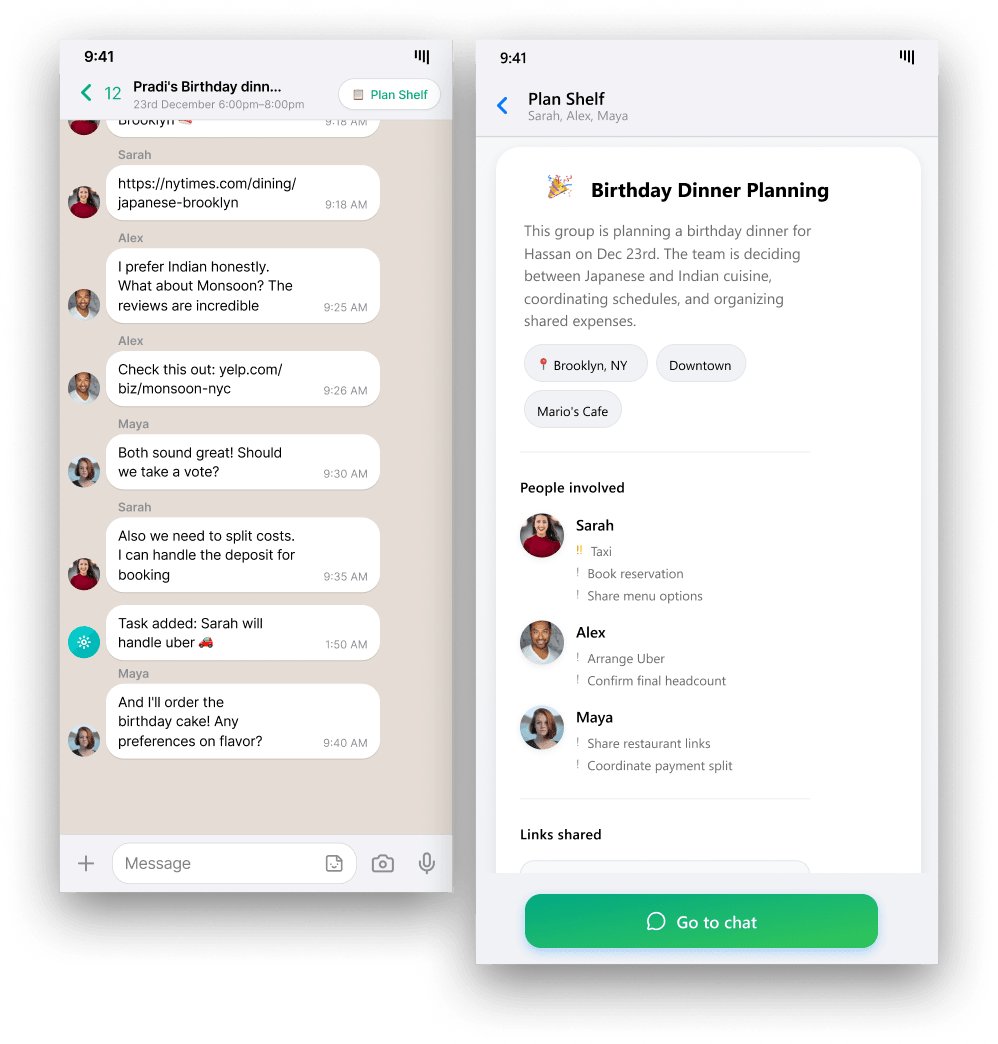
Links, dates, and decisions were scattered across WhatsApp, Maps, and booking sites. The Plan Shelf is a panel opened from the chat header that shows what is decided, what is pending, and stacked cards for tasks, poll results, and budget. In testing, users read it as the source of truth and found it clearer than scrolling back through chat history.
Claim a task, not a command
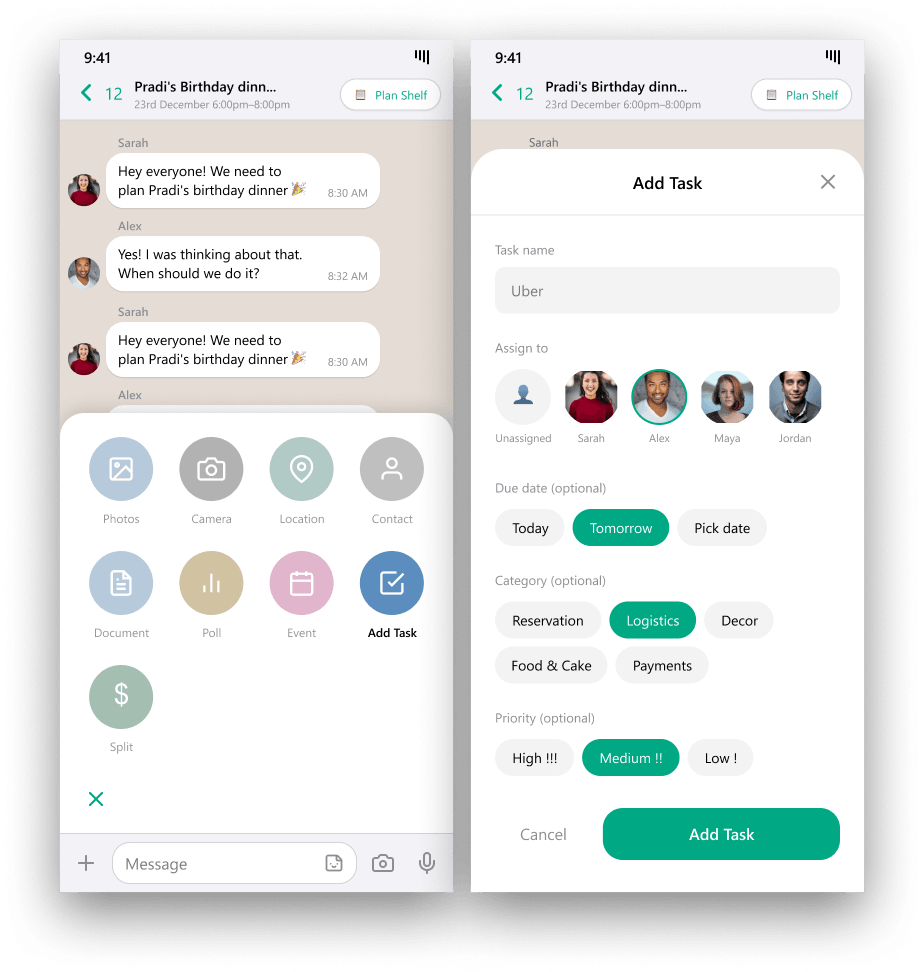
In group planning the most invested person ends up doing everything. Tasks can be claimed voluntarily, show who is doing what, and are created in a single tap from the chat. Testing showed people were unsure an assignment had registered, so I added a confirmation message and high, medium, and low priority levels, with tasks organized by priority in the Plan Shelf.
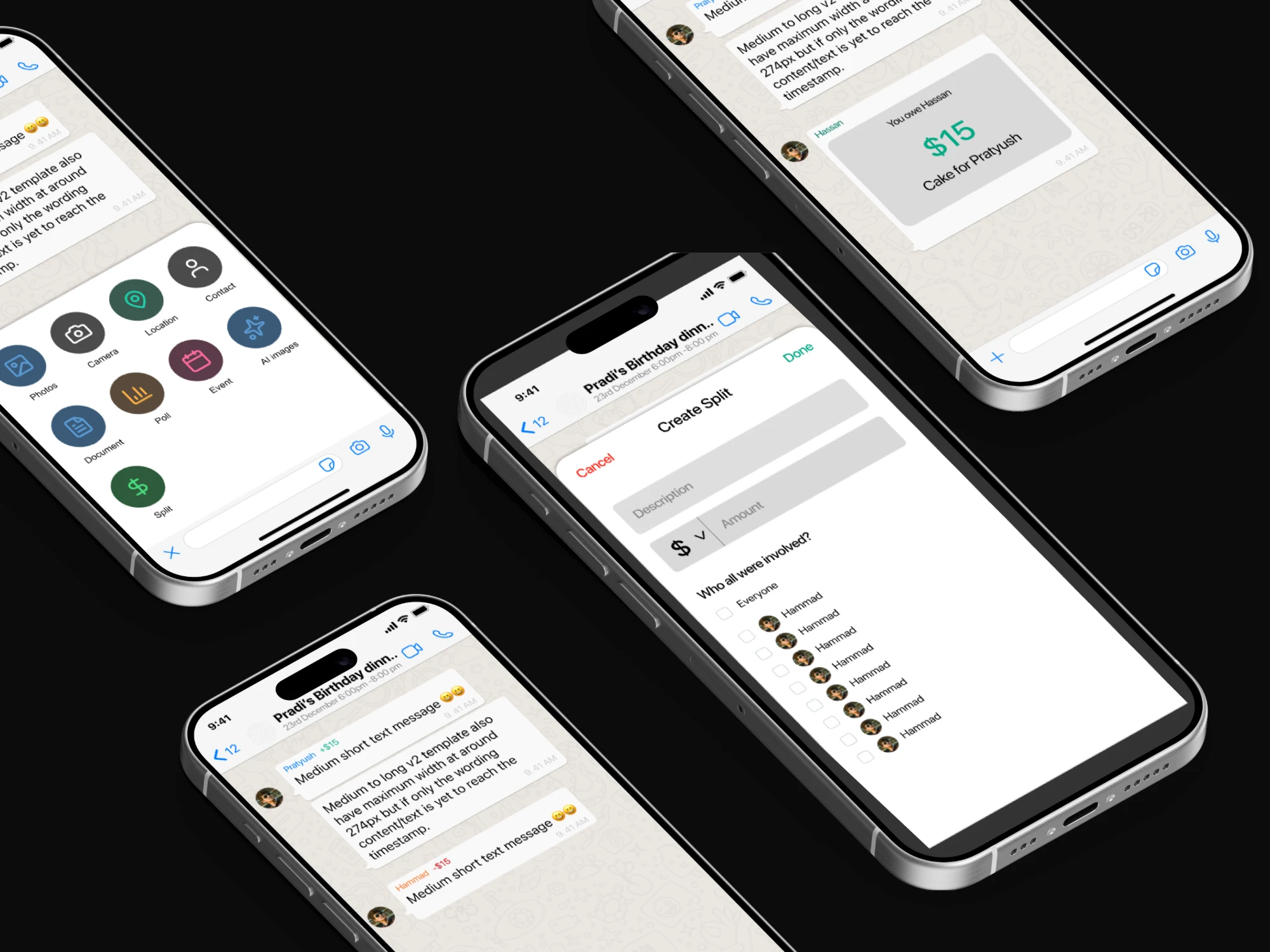
Private by default on money
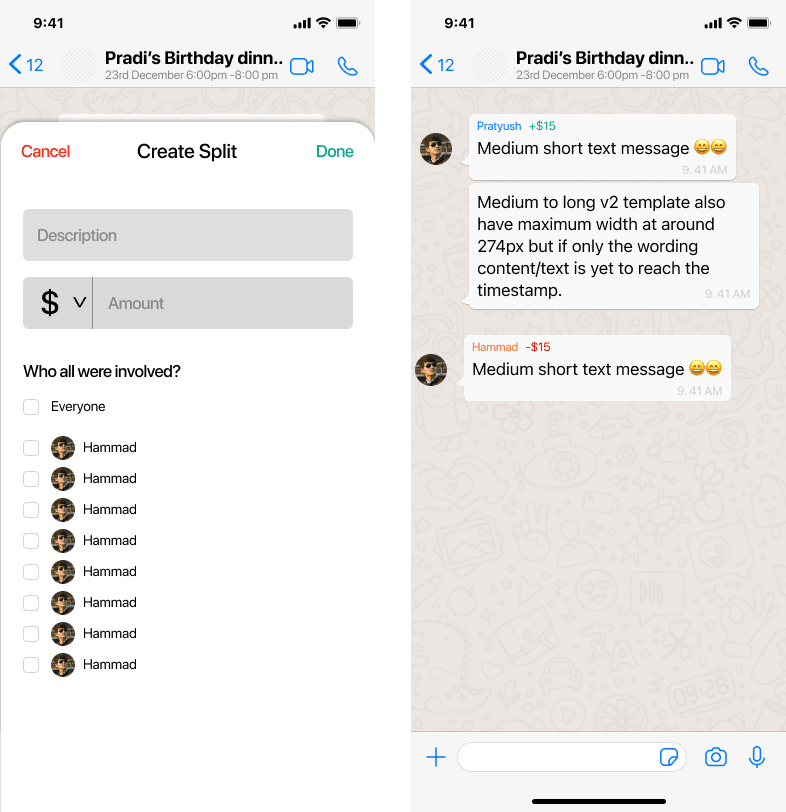
Research on P2P payments shows financial exchanges carry social weight. Public ledgers create discomfort, not accountability. Splits are visible only to the people involved, with no group-wide reminders or callouts.
Hi-fi prototype
Split 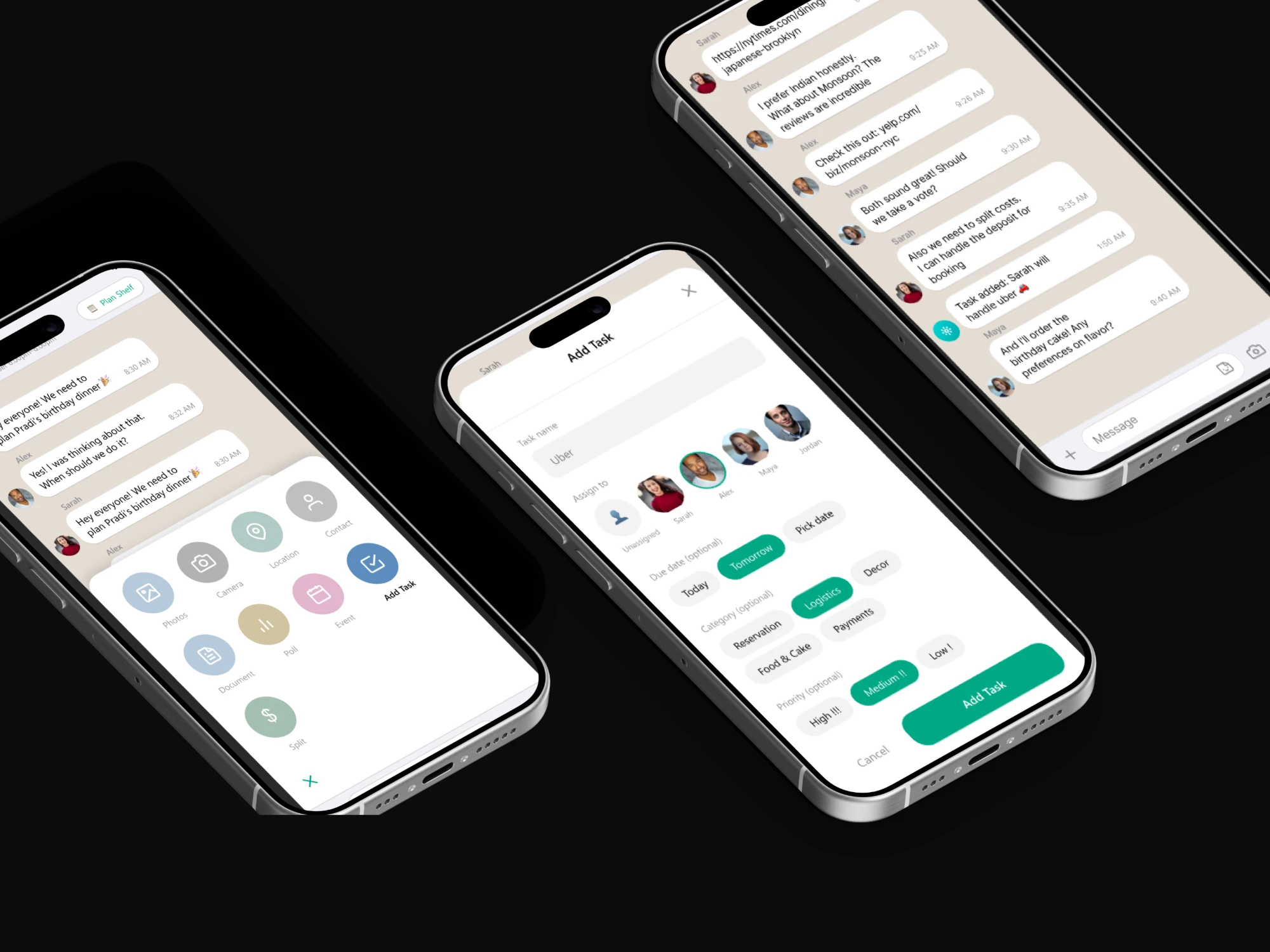
Task Assignments 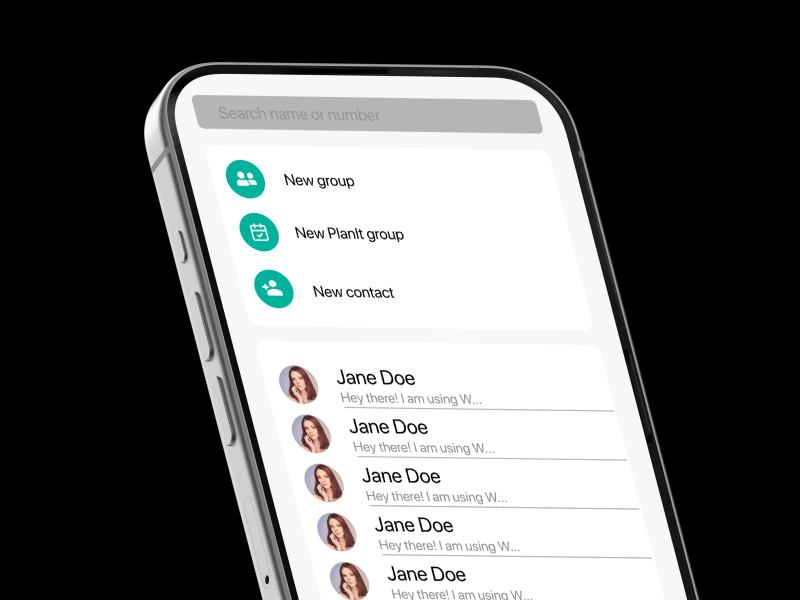
New Plan-It group 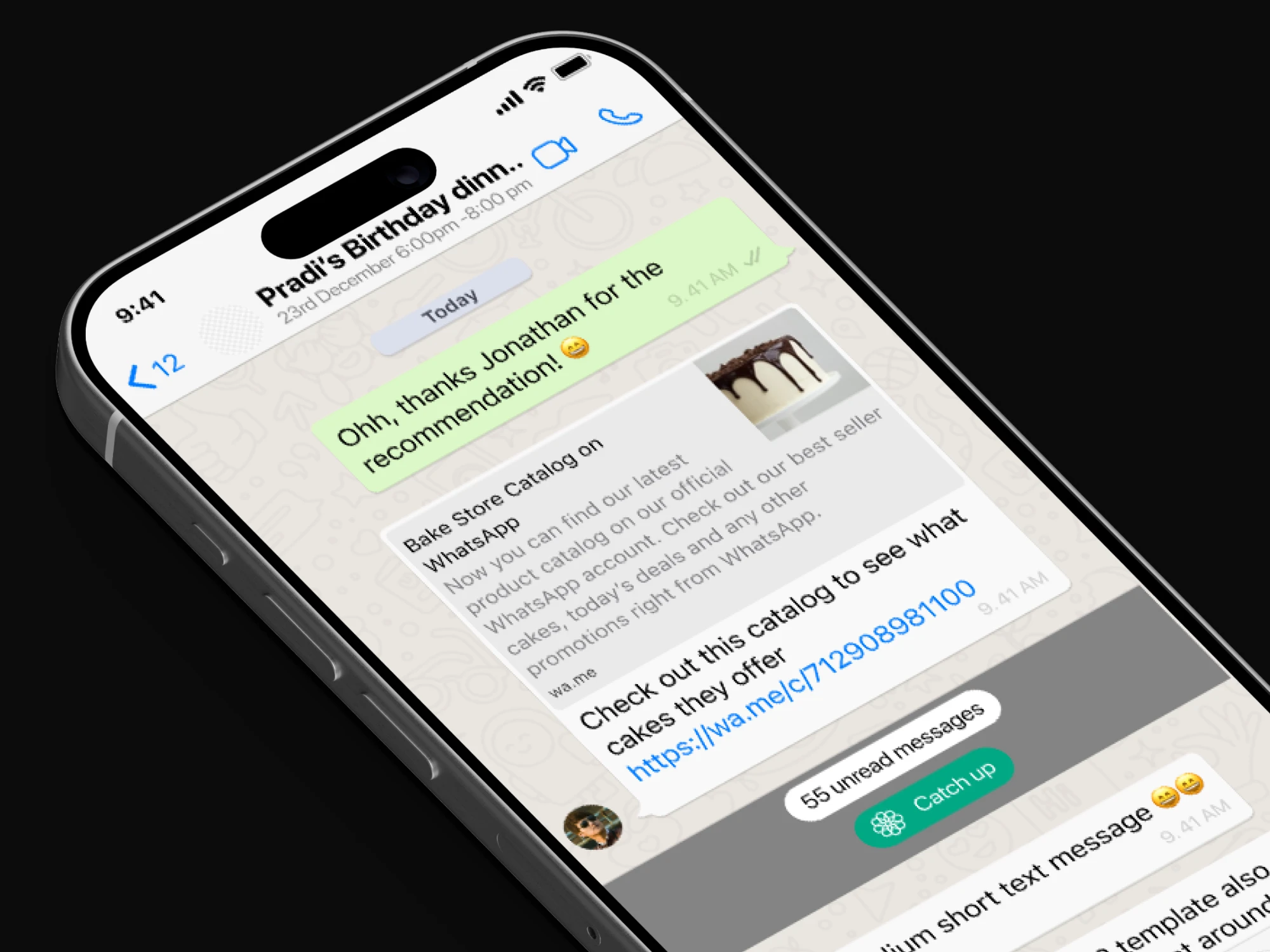
Catch up
Impact
Participants were dropped into an active group chat where they'd “missed” days of birthday-dinner planning, then asked to catch up and coordinate while thinking aloud. The Plan Shelf and summarizer were immediately understood. The problems were about visibility and feedback, not comprehension, and each produced a specific change.
What changed
Problem
Users didn't know whether AI summaries were private or posted to the whole group
Fix
Made AI summaries private to each user, so asking for a catch-up never posts to the group
Problem
The split flow was text-heavy and felt like a separate product bolted onto WhatsApp
Fix
Replaced explanatory paragraphs with a numerical interface using +/− and red/green indicators, plus an explicit disclaimer that balances are private to the two people involved
Problem
After assigning a task, users weren't sure it had registered or how urgent it was
Fix
Added confirmation feedback on assignment, priority levels, and automatic surfacing of tasks in the Plan Shelf sorted by priority
A high-fidelity WhatsApp-integrated prototype covering four features: an AI chat summarizer, a centralized Plan Shelf, lightweight task claiming, and private expense splitting. Participants said they'd choose a Plan-It group over a regular group chat for planning.
A note on metrics: There are no quantified outcome metrics for this project. The evidence is qualitative: what testing surfaced, and the changes it led to.
Reflection
What I'd do differently
Testing revealed that how information surfaced mattered more than which features existed. Every iteration we made was about visibility, privacy, or feedback, not about adding capability. I'd front-load those questions in the next round rather than discovering them at the end.
Next steps
Extend beyond WhatsApp to iMessage and other chat platforms, and explore on-device summarization to address the privacy concerns raised around AI reading group conversations.
Last chapter
Design Documentation
The full process documentation for this project: survey and interview synthesis, requirements, wireframes, and iteration notes.