2025 · UX Research · Human-Robot Interaction · Safety
Starship Weather Alerts
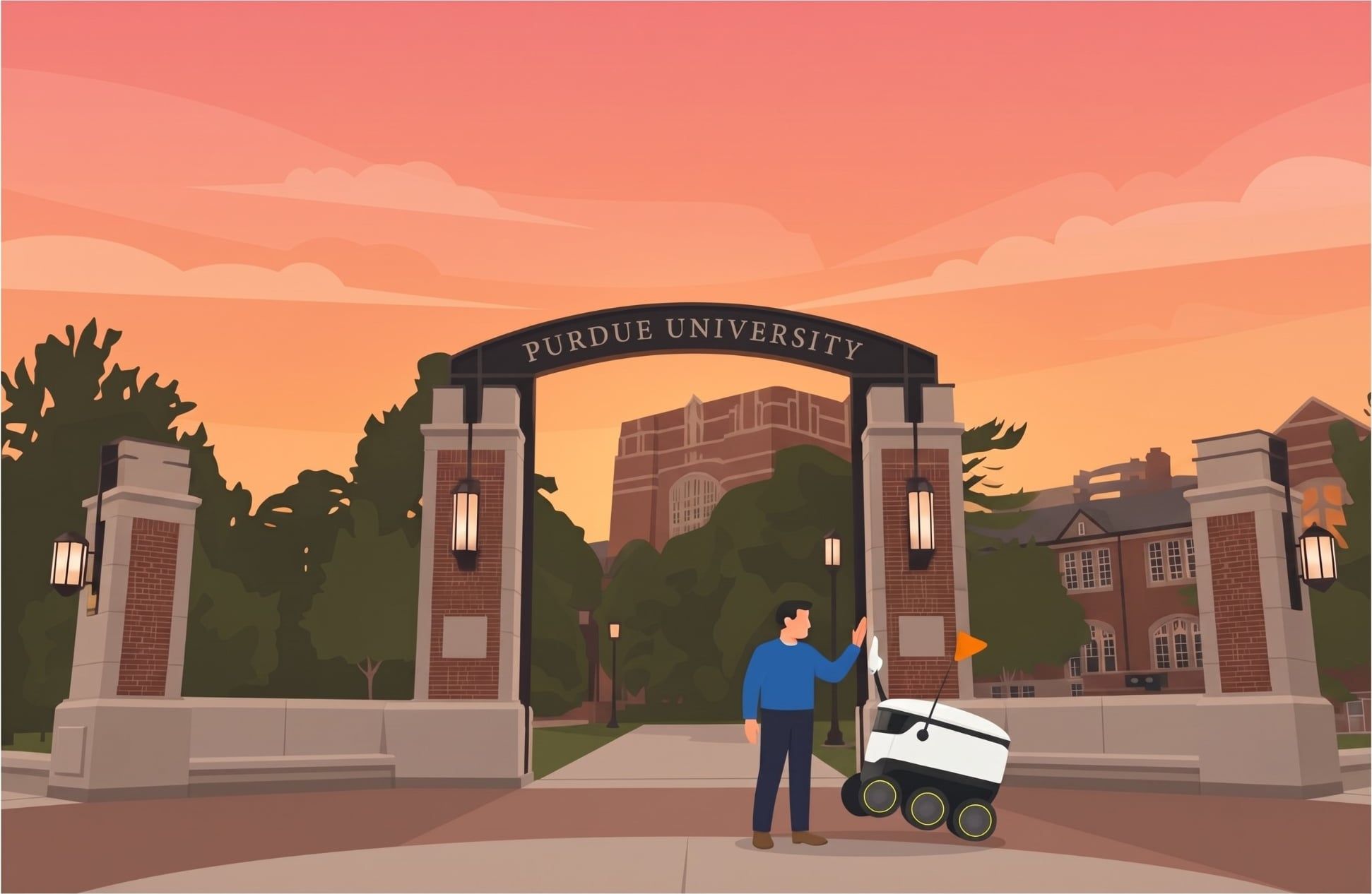
Students miss Purdue Alerts. Delivery robots are already on every sidewalk. We designed ways for them to carry the warning.
Overview
- Year
- 2025
- Platform
- Starship delivery robots and the Starship app
- Focus
- Human-robot interaction, emergency communication
- Methods
- Literature Review
- Contextual Inquiry
- Stakeholder Interview
- Street Interviews
- Affinity Mapping
- Prototyping
- Usability Testing
A CGT 52200 project with Purdue Emergency Preparedness & Planning (PEPP), exploring how Starship robots could help during severe weather beyond making deliveries.
Problem
Purdue sends Purdue Alerts for severe weather, but students often miss them because they are busy or not looking at their phones. PEPP's main outdoor channel is seven sirens that only prompt people to check their phones. Meanwhile, Starship robots travel the same sidewalks every day, with speakers, lights, and an app students open to order food.
1 in 3
college students feel ready for a natural disaster (Tanner & Doberstein, 2015)
7
outdoor sirens, which only tell people to go check their phones
How might Starship delivery robots help students notice severe weather alerts without disrupting deliveries?
My Role
Team project of three. I ran the contextual inquiry and the secondary research on the robot's sensors and autonomy, conducted the PEPP interview and design feedback sessions, led ideation and design on both concepts, built the prototypes, ran the user feedback and usability testing, and wrote most of the documentation.
Process
We started with the robot itself: its sensors, its "bubble of awareness," and its Level 4 autonomy. A structured literature review then covered trust in delivery robots, robots in emergencies, and student weather preparedness. On campus, a contextual inquiry showed how the robots actually behave around pedestrians. We interviewed a PEPP team member about their responsibilities and expectations, and ten people around the Engineering Mall about trust and weather habits. Over fifty data points from all of this went into a color-coded affinity map in Miro, which led to two personas and two separate concepts.
10
street interviews (4 on trust, 6 on weather)
50+
affinity map data points
5
early ideas narrowed to 2 directions
From the literature
- 01
Most research on delivery robots reports high trust, and over half of respondents were comfortable sharing sidewalks with them.
- 02
Ground robots are rarely used for emergency response, since the literature focuses on aerial and aquatic vehicles.
- 03
Robot design shapes trust, and aesthetic design increased it.
- 04
Students are "marginally aware of vulnerabilities" and "do very little to prepare."
From the field
- 05
The robots already signal and speak. They blink turn indicators and say "Hi, can you please let me pass?" when blocked, so a spoken alert fits what people expect from them.
- 06
PEPP wanted robots to broadcast pre-approved verbal alerts while moving, and named data governance as the main challenge, since Starship is a private company.
- 07
People trust the robots but not with critical items like medication, and many never open the Starship app. So an alert needed a channel outside the app, plus a smaller one inside it.
Personas
Sarah
An on-campus observer who sees robots daily but misses alerts.
Pranay
An app user who stays indoors and orders through Starship.
Solution
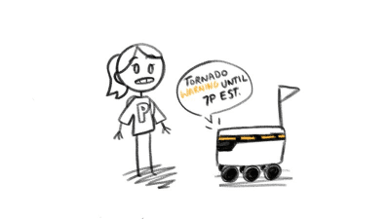
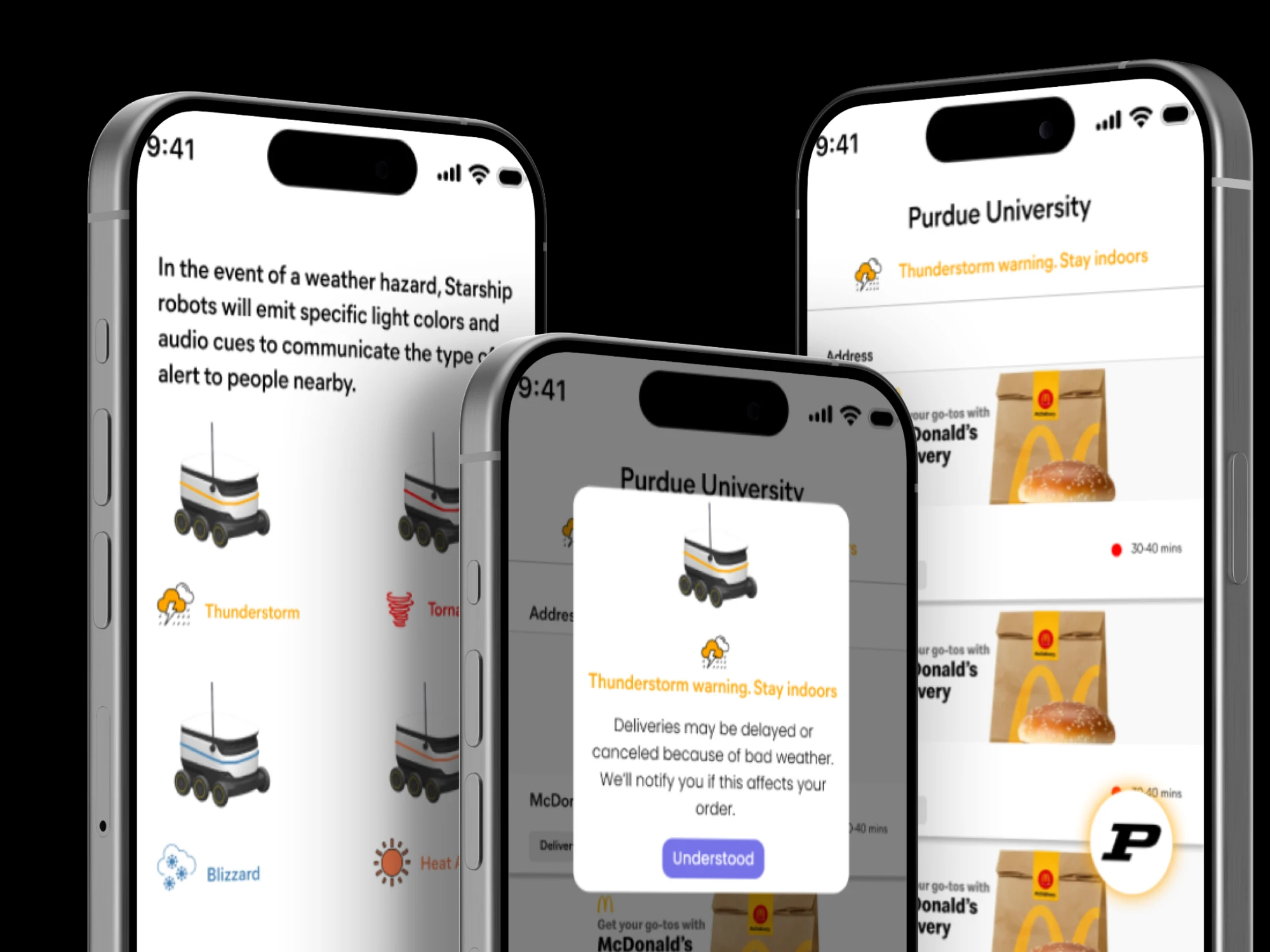
LED lights around the chassis, not a pole
Our first concepts were a siren light and an LED strip on a pole. PEPP pointed out that sirens signal police, not weather, and users said lights around the body are easier to notice. Users found a continuous beep irritating and preferred a short message such as "Alert! Thunderstorm warning at 8pm." I tested it with a cardboard box, LED strips, and a speaker running text-to-speech.
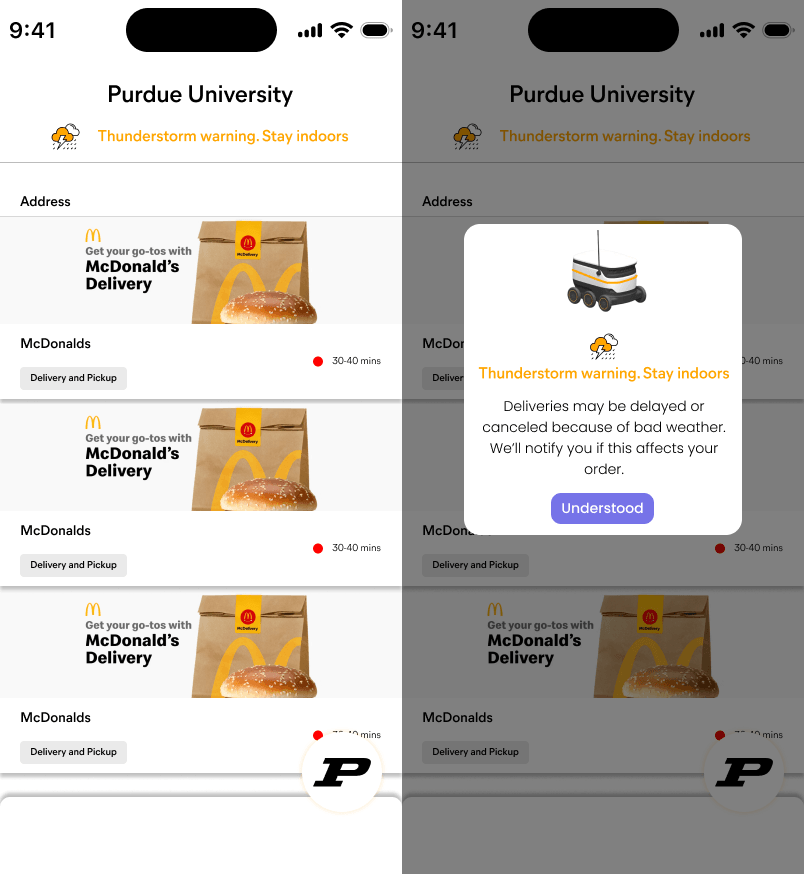
An in-app banner and a button for the full alert
Pranay sees a hazard banner on the home screen. PEPP suggested making it tappable, so I added a pulsing floating action button that opens the complete Purdue Alert message.
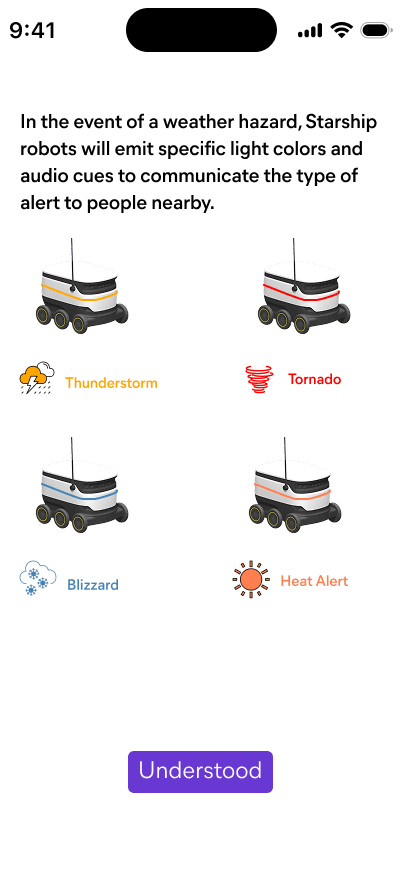
An onboarding screen that explains the robot cues
Added to the final onboarding step so new users know the cues exist and can tell others.
Impact
The robot cue concepts went to a PEPP team member and a few students. The in-app design went through a usability test with one user. Nothing shipped, so there are no outcome metrics. Each change below came directly from that feedback.
What changed
Problem
A siren suggests police or an emergency nearby, not weather.
Fix
Dropped the siren for LED lighting plus a spoken message.
Problem
A continuous beep and constant flashing would be irritating, especially with several robots nearby.
Fix
A short spoken alert, with lights flashing only for a Warning.
Problem
The in-app button kept pulsing after the user had tapped it.
Fix
The pulse stops once the user interacts with it.
The concepts show two low-impact ways to extend an alert students already miss: a lit and spoken cue for people on the sidewalk, and a banner with a full-alert button for people ordering indoors. Both depend on Starship allowing changes to its hardware and app, which we could not confirm.
Reflection
What I'd do differently
The usability test covered one user, and the robot cues only existed as a cardboard prototype powered indoors, so we could not test how visible the LEDs are in direct sunlight. One tester was also unsure the Purdue-logo button held an alert, and we did not resolve that. With more time I'd test outdoors with several robots at different times of day.
Next steps
Test richer visual cues and clearer color coding, since many users did not know the National Weather Service colors. Explore whether the robots' sensors could report traction loss and debris, which PEPP called the most valuable winter data. Plan an awareness effort with PEPP and Starship, and study how robots could help emergency crews after an event.
Ethical considerations
- Pulsing lights could distract drivers and cyclists, so they might need to switch off near busy roads such as Mitch Daniels Blvd.
- Alerts must be accurate and come from official sources.
- Too many alerts cause alert fatigue.
- Robots and apps should supplement official alerts, not replace them.
Final screens
Final screens 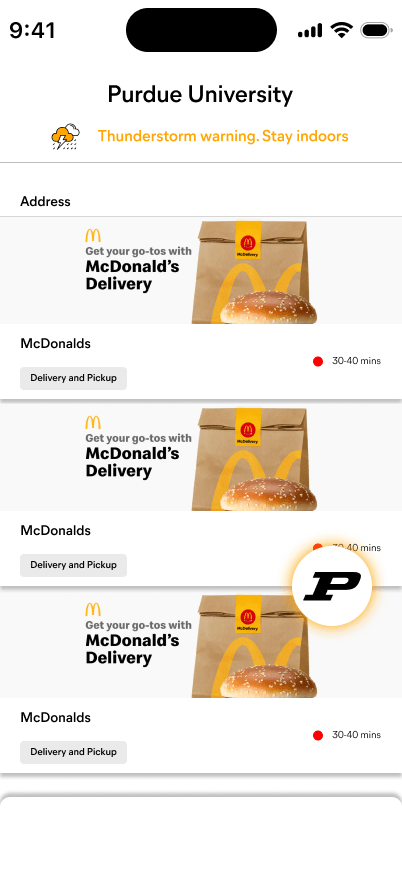
Hazard banner and pulsing alert button 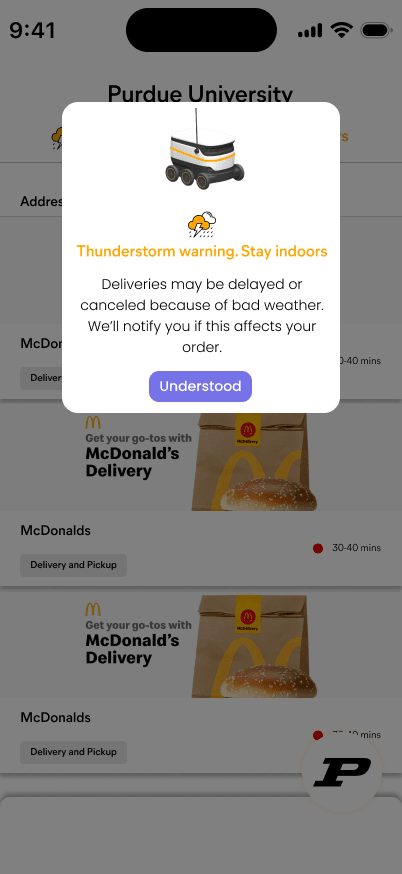
Intro overlay 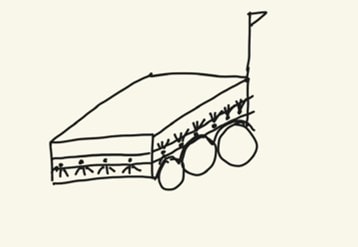
Early LED band sketch 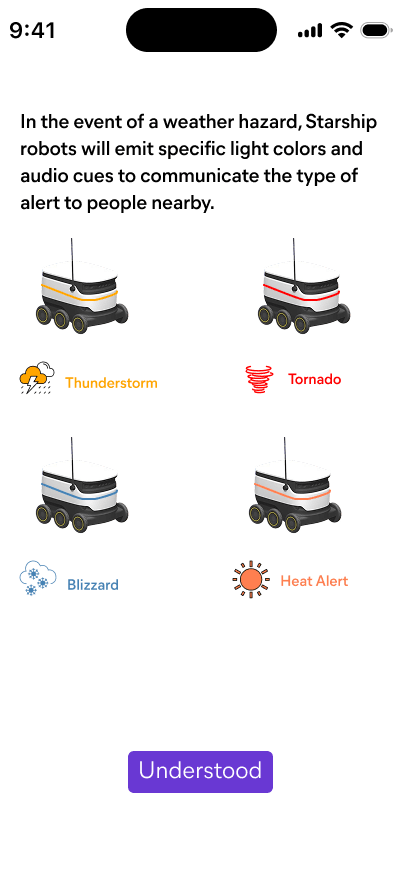
Onboarding screen
Last chapter
Design Documentation
The full process documentation for this project: research, interviews, personas, and design iterations.